LinkedIn Sales Navigator Pricing in 2026: Complete Cost Breakdown

LinkedIn Sales Navigator is the go-to prospecting tool for B2B sales teams. But with multiple plans and pricing tiers, it can be hard to know which one fits your budget and your needs.
In this guide, we break down every LinkedIn Sales Navigator pricing plan for 2026, compare features side by side, and show you how to get the most value from your subscription, whether you are an individual seller or managing a team.
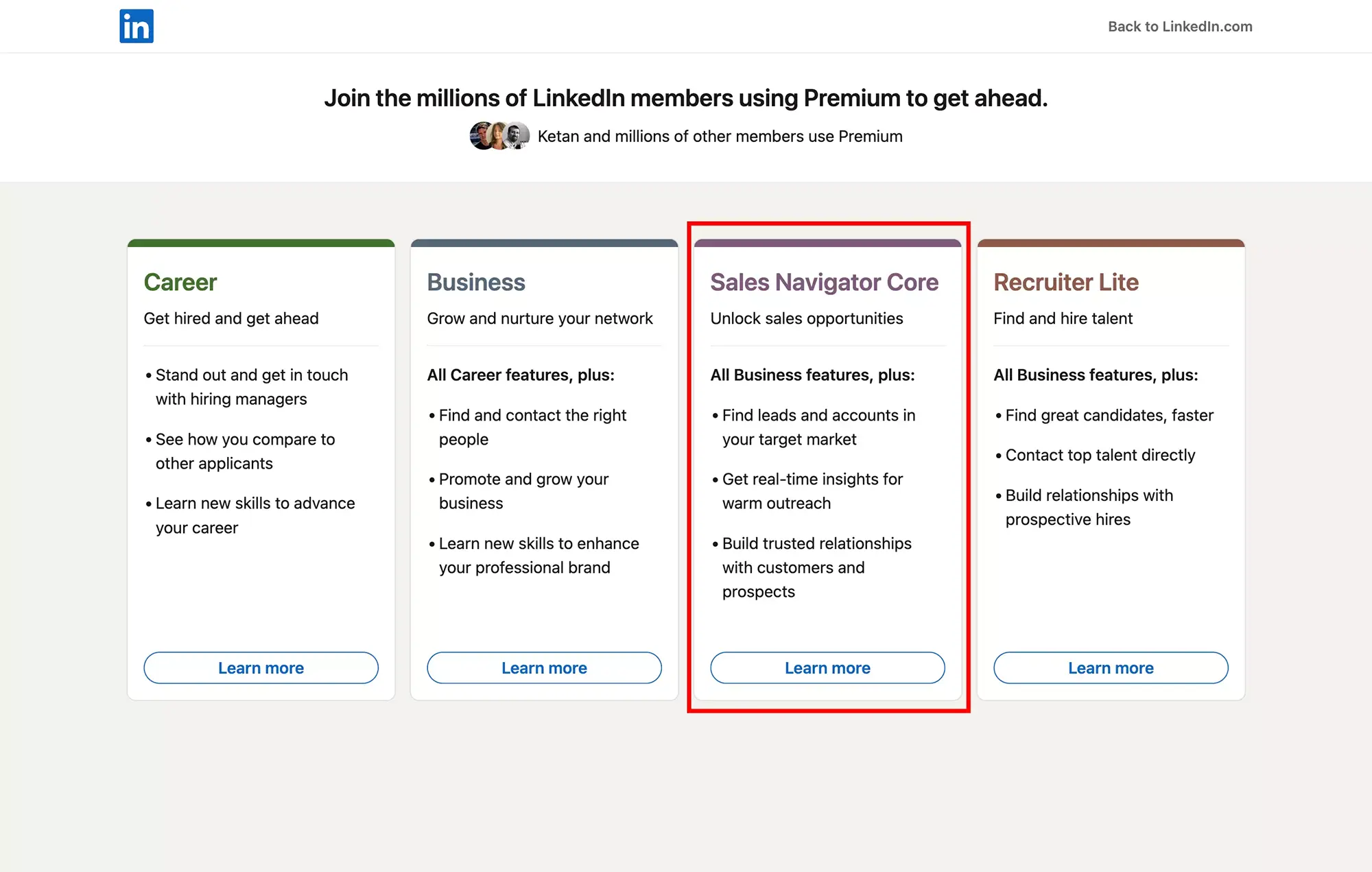
What Is LinkedIn Sales Navigator?
LinkedIn Sales Navigator is LinkedIn's premium prospecting tool built for B2B sales professionals. Unlike LinkedIn Premium, which focuses on networking and career development, Sales Navigator is designed specifically for selling. It gives you access to 50+ advanced search filters, AI-powered account insights (Account IQ), lead recommendations, real-time alerts when prospects change jobs, and 50 InMail credits per month to reach decision-makers outside your network.
In short, if your job involves finding and contacting potential customers on LinkedIn, Sales Navigator turns the platform into a lead generation engine. Over 500,000 companies worldwide use it for outbound prospecting. Learn more about how to use it in our Sales Navigator tutorial.
How Much Does LinkedIn Sales Navigator Cost in 2026?
LinkedIn Sales Navigator offers three pricing tiers. Here is what each plan costs as of March 2026:
| Plan | Monthly billing | Annual billing (per month) | Annual total | Savings |
|---|---|---|---|---|
| Core | $119.99/month | $89.99/month | $1,079.88/year | 25% |
| Advanced | $159.99/month | $149.99/month | $1,799.88/year | 6% |
| Advanced Plus | Custom pricing | Custom pricing | ~$1,300-1,600/seat/year | Contact sales |
Important: These are USD prices. LinkedIn Sales Navigator pricing varies by region. See the regional pricing section below for EUR, GBP, and AUD rates.
All plans include a trial period for eligible users (no active LinkedIn paid subscription and no trial taken in the past 365 days).
Sales Navigator Plans Compared: Core vs Advanced vs Advanced Plus
Not sure which plan to pick? Here is a detailed feature comparison:
| Feature | Core | Advanced | Advanced Plus |
|---|---|---|---|
| Advanced lead & company search (50+ filters) | Yes | Yes | Yes |
| InMail messages per month | 50 | 50 | 50 |
| Lead & account lists (up to 10,000 leads) | Yes | Yes | Yes |
| Lead recommendations | Yes | Yes | Yes |
| Real-time alerts (job changes, news) | Yes | Yes | Yes |
| Account IQ (AI-powered insights) | Yes | Yes | No |
| Relationship Explorer & Map | Yes | Yes | Yes |
| Book of Business (CSV import) | CSV | CSV + CRM | Yes |
| Buyer intent signals | No | Yes | Yes |
| Smart Links (trackable content sharing) | No | Yes | Yes |
| Message Assist (AI, public beta) | No | Yes | Yes |
| TeamLink (warm introductions) | No | Yes | Yes |
| Shared lists & team collaboration | No | Yes | Yes |
| Team reporting & usage analytics | No | Yes | Yes |
| CRM embedded profiles (SNAP) | No | Yes | Yes |
| CRM full sync & auto-save | No | No | Yes |
| CRM data validation & badge/filtering | No | No | Yes |
| ROI reporting | No | No | Yes |
| Admin & seat management | No | Yes (2+ seats) | Yes (10+ seats) |
| Dedicated account team & training | No | No | Yes |
Bottom line:
- Core is for individual sales reps who need powerful search and InMails.
- Advanced is for sales teams who need collaboration and reporting.
- Advanced Plus is for enterprise organizations who need deep CRM integration.
Sales Navigator Core: Pricing and Features
Price: 89.99/month billed annually)
Sales Navigator Core is LinkedIn's entry-level prospecting plan. It gives individual sellers everything they need to find and connect with the right prospects:
- 50+ advanced search filters: Target leads by company size, industry, seniority, geography, years in role, and more. This goes far beyond LinkedIn's basic search.
- 50 InMail credits/month: Message anyone on LinkedIn, even outside your network. Unused credits roll over for up to 3 months.
- Lead and account lists: Save up to 10,000 leads to track and organize.
- Real-time alerts: Get notified when your saved leads change jobs, post content, or are mentioned in the news.
- Account IQ: AI-generated summaries of target accounts, including recent news, headcount changes, and strategic priorities.
- Relationship Explorer & Map: Visualize connections and find the best path to your prospects.
- Book of Business (CSV): Import your existing contacts via CSV to track them in Sales Navigator.
Note: Core does not include Buyer Intent signals, Smart Links, Message Assist, or TeamLink. These are available in Advanced and above.
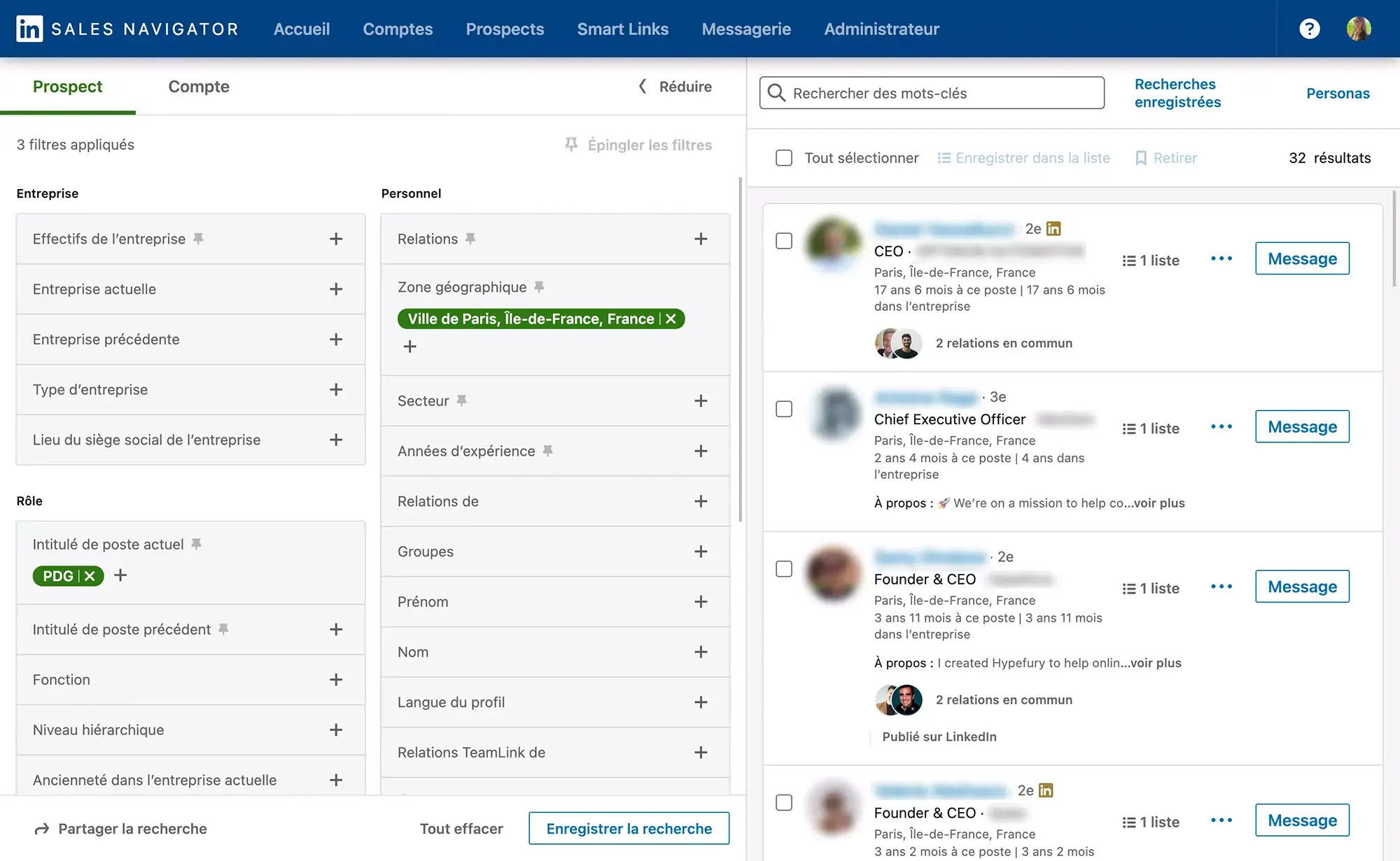
Who should choose Core? Solo sellers, freelancers, consultants, and anyone doing individual outbound prospecting on LinkedIn. If you do not need team features, Core is the best value.
Pro tip: Pair Sales Navigator Core with Kanbox to export your lead lists and automate your outreach sequences, something Sales Navigator alone cannot do.
Sales Navigator Advanced: Pricing and Features
Price: 149.99/month billed annually)
Sales Navigator Advanced includes everything in Core, plus team collaboration, outreach tools, and buyer intelligence:
- Buyer intent signals: See which companies are actively researching topics related to your product or service.
- Smart Links: Share trackable content (presentations, documents) and see who viewed what and for how long.
- Message Assist (beta): AI-powered message suggestions to help you write more effective InMails.
- TeamLink: See your colleagues' connections to find warm introductions to prospects.
- Shared lead and account lists: Your team can collaborate on the same prospect lists, avoiding duplicates and ensuring coverage.
- Team reporting and analytics: Track your team's Sales Navigator usage, InMail response rates, and prospecting activity.
- Seat management: Add 2 or more team members under one billing account with admin controls.
- Book of Business (CSV + CRM import): Import contacts from both CSV files and your CRM.
- CRM embedded profiles (SNAP): View Sales Navigator data directly within your CRM interface.
Who should choose Advanced? Sales managers and teams of 2-10 people who need buyer intent data, Smart Links for outreach, and visibility into team activity.
Sales Navigator Advanced Plus: Enterprise Pricing
Price: Custom (contact LinkedIn Sales Solutions)
Advanced Plus is designed for large sales organizations (10+ seats) that need tight integration with their existing CRM:
- Full CRM sync & auto-save: Automatically sync leads, contacts, and activities with Salesforce, Microsoft Dynamics, or HubSpot. New leads are saved to your CRM without manual entry.
- CRM data validation: Keep your CRM data clean by validating contact information against LinkedIn profiles.
- CRM badge & filtering: See which CRM contacts are also in Sales Navigator, and filter accordingly.
- ROI reporting: Measure the actual revenue impact of Sales Navigator on your pipeline (requires CRM sync).
- Dedicated account team: A LinkedIn representative for onboarding, training, and ongoing strategy.
- Enterprise security: SSO, audit logs, and enterprise-grade data controls.
Note: Advanced Plus does not include Account IQ (AI-powered account insights). This feature is available in Core and Advanced only.
Estimated cost: Industry sources suggest Advanced Plus pricing typically falls between 1,600 per seat per year, though this varies based on team size and contract terms.
Who should choose Advanced Plus? Enterprise sales teams with 10+ reps who use Salesforce or similar CRM and need automated data sync with ROI tracking.
Which Sales Navigator Plan Should You Choose?
Not sure which plan fits your situation? Here is a quick decision guide:
| Your profile | Recommended plan | Why |
|---|---|---|
| Solo seller or freelancer | Core | All the search and InMail power you need, at the lowest price |
| Small sales team (2-5 reps) | Advanced | Shared lists, team reporting, and buyer intent signals |
| Growing sales team (5-10 reps) | Advanced | Same as above, with TeamLink for warm introductions |
| Enterprise (10+ reps with CRM) | Advanced Plus | Full CRM sync, ROI reporting, dedicated support |
| Recruiter | Consider LinkedIn Recruiter instead | See our Recruiter pricing guide |
| Budget-conscious | Core + Kanbox | Core for lead discovery, Kanbox for automation and CRM at $10/month (yearly) |
LinkedIn Premium vs Sales Navigator: Which One Do You Need?
Many professionals confuse LinkedIn Premium with Sales Navigator. Here is how they compare:
| Feature | Premium Business | Sales Navigator Core | Sales Navigator Advanced |
|---|---|---|---|
| Monthly price | $59.99 | $119.99 | $159.99 |
| InMail credits | 15/month | 50/month | 50/month |
| Advanced search filters | Limited | 50+ filters | 50+ filters |
| Lead recommendations | No | Yes | Yes |
| Account IQ (AI insights) | No | Yes | Yes |
| Buyer intent signals | No | No | Yes |
| Smart Links | No | No | Yes |
| TeamLink | No | No | Yes |
| Who viewed your profile | Last 365 days | Last 365 days | Last 365 days |
| Learning courses | LinkedIn Learning | No | No |
The verdict: If your goal is sales prospecting, Sales Navigator Core is significantly more powerful than Premium Business. The extra $60/month gives you 35 more InMails, advanced search, lead recommendations, and buyer intent data. Premium Business is better suited for professionals who want LinkedIn Learning and basic networking features. For a full breakdown of each plan's strengths, see our LinkedIn Premium vs Sales Navigator guide.
For a deeper comparison, read our LinkedIn Premium pricing guide.
Is LinkedIn Sales Navigator Worth the Price?
The ROI depends on how actively you use it. Here is a simple calculation:
Scenario: Sales Navigator Core at $89.99/month (annual billing)
| Metric | Value |
|---|---|
| InMails sent per month | 50 |
| Average InMail response rate | 10-25% |
| Conversations started | 5-12 |
| Meetings booked (20% conversion) | 1-3 |
| Average deal value | $5,000+ |
Even one closed deal per quarter makes the $1,080/year investment worthwhile. The key is consistent prospecting and following up with every conversation.
To maximize your ROI:
- Use boolean search operators to build precise lead lists
- Export your lists with Kanbox LinkedIn Scraper for outreach at scale
- Automate follow-up sequences with Kanbox messaging automation
- Track your pipeline with Kanbox Kanban boards
How to Get a Sales Navigator Trial
LinkedIn offers a trial for Sales Navigator. Here are the conditions:
- You must not be on any active LinkedIn paid subscription (Premium, Recruiter, etc.)
- You must not have used a LinkedIn trial in the last 365 days
- Sign up at LinkedIn Sales Navigator
During the trial, you get full access to either Core or Advanced features. Set a reminder before the trial ends to decide whether to continue or cancel.
Important: If you are already on LinkedIn Premium, you need to cancel it first and wait for it to expire before starting a Sales Navigator trial.
How to Buy, Upgrade, Downgrade, or Cancel Sales Navigator
To subscribe: Visit LinkedIn Sales Navigator, choose your plan (Core or Advanced), and complete the purchase with your LinkedIn account.
To upgrade from Core to Advanced: Go to Settings > Account > Subscription, then select "Upgrade." Your billing will be adjusted pro-rata for the remainder of your current billing cycle.
To downgrade from Advanced to Core: Go to Settings > Account > Subscription, then select "Change plan." The downgrade takes effect at the end of your current billing period.
To cancel: Go to Settings > Account > Subscription > Cancel. Monthly plans end immediately. Annual plans continue until the end of the paid period with no refund for remaining months.
Important: You will receive a reminder email 7 days before your trial or subscription renews.
Tips to Reduce Your Sales Navigator Cost
- Choose annual billing: Save up to 25% compared to monthly payments
- Start with Core: Upgrade to Advanced only when you have a team to manage
- Use all 50 InMails: Each unused InMail is wasted money. Aim for a 10%+ response rate
- Leverage the trial: Test Sales Navigator for a full trial period before committing
- Combine with Kanbox: Instead of upgrading to Advanced Plus for CRM sync, use Kanbox to export Sales Navigator leads directly to your CRM at a fraction of the cost
Sales Navigator Pricing by Region
LinkedIn Sales Navigator pricing varies by country. Here are the official rates for major regions (as of March 2026, source: LinkedIn Sales Solutions):
Monthly billing:
| Plan | USD (US) | EUR (Europe) | GBP (UK) | CAD (Canada) | AUD (Australia) |
|---|---|---|---|---|---|
| Core | 119.99 USD | 120.99 EUR | 94.99 GBP | 144.99 CAD | 154.99 AUD |
| Advanced | 159.99 USD | 148.21 EUR | 130.00 GBP | 179.99 CAD | 189.99 AUD |
Annual billing (total per year):
| Plan | USD (US) | EUR (Europe) | GBP (UK) | CAD (Canada) | AUD (Australia) |
|---|---|---|---|---|---|
| Core | 1,079.88 USD | 1,088.88 EUR | 959.88 GBP | 1,199.88 CAD | 1,499.88 AUD |
| Advanced | 1,799.88 USD | 1,693.88 EUR | 1,499.88 GBP | 2,039.88 CAD | 2,159.88 AUD |
Note: Prices exclude VAT/GST which is added at checkout. Annual savings vary by region (from 6% to 31% depending on currency and plan). LinkedIn does not publish pricing for INR, BRL, JPY, or SGD.
What You Get with Each Plan: Features, InMails, and Limits
| Limit | Core | Advanced | Advanced Plus |
|---|---|---|---|
| InMail credits/month | 50 | 50 | 50 |
| InMail rollover | 3 months (max 150) | 3 months (max 150) | 3 months (max 150) |
| Saved leads | 10,000 | 10,000 | 10,000 |
| Saved accounts | ~1,000 (reported) | ~1,000 (reported) | ~1,000 (reported) |
| Search results per query | ~2,500 (reported) | ~2,500 (reported) | ~2,500 (reported) |
| Custom lists | ~50 (reported) | 50+ (shared) | 50+ (shared) |
| Smart Links tracking | No | Yes | Yes |
| Buyer Intent | No | Yes | Yes |
| Native CSV export | No | No | No |
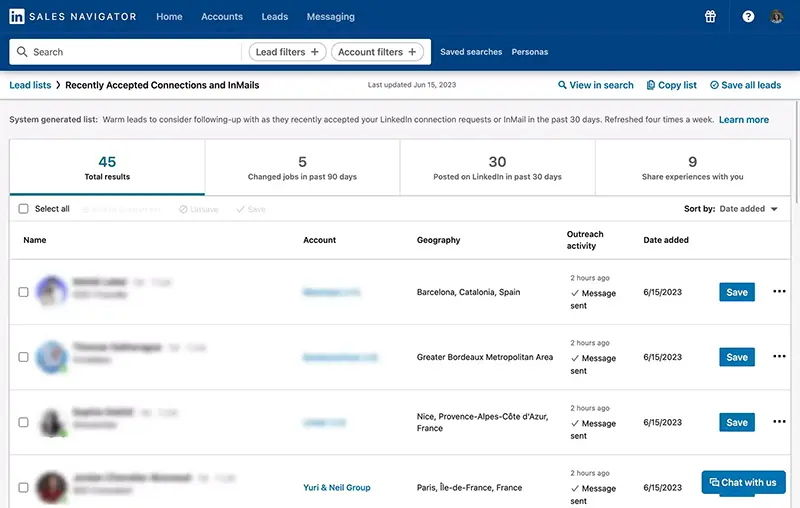
The export limitation is Sales Navigator's biggest drawback. None of the plans allow you to export lead data to CSV or CRM natively (except Advanced Plus with its CRM integration). This is where tools like Kanbox fill the gap: export unlimited leads from Sales Navigator searches, enrich with email data, and automate your outreach pipeline.
LinkedIn Sales Navigator vs Alternatives
If Sales Navigator's pricing does not fit your budget, here are some alternatives to consider:
| Tool | Starting price | Best for |
|---|---|---|
| Sales Navigator Core | $119.99/month | LinkedIn-native prospecting |
| Kanbox | $10/month | LinkedIn automation + CRM pipeline |
| Apollo.io | $49/month | Multi-channel prospecting |
| ZoomInfo | $14,995/year | Enterprise B2B data |
| Lusha | $49/month | Contact enrichment |
For a detailed comparison, see our Sales Navigator alternatives guide.
The smart stack: Many sales teams use Sales Navigator for lead discovery combined with Kanbox for automation and pipeline management. Sales Navigator finds the right people. Kanbox helps you reach them at scale.
Join them today and boost your LinkedIn prospecting.
Conclusion
LinkedIn Sales Navigator pricing in 2026 starts at 159.99/month for Advanced. Annual billing saves you up to 25%.
Choose Core if you are an individual seller. Choose Advanced if you manage a team. Choose Advanced Plus only if you need native CRM integration for 10+ seats.
The real question is not whether Sales Navigator is worth the price, but whether you are using it to its full potential. Pair it with Kanbox to export leads, automate messaging, and manage your pipeline, and the ROI becomes clear. To get the most out of your subscription, read our Sales Navigator automation guide and learn how to automate LinkedIn messaging safely.
Kanbox automates your LinkedIn actions so you can focus on what really matters.
Frequently Asked Questions
LinkedIn Sales Navigator Core costs $119.99/month (or $89.99/month billed annually). The Advanced plan is $159.99/month (or $149.99/month annually). Advanced Plus pricing is custom and typically starts around $1,600/year per seat for enterprise teams.
For B2B sales professionals prospecting on LinkedIn, Sales Navigator is worth it if you use it actively. The Core plan pays for itself if you close one deal per quarter from its leads. Key value: 50 InMails/month, 50+ advanced filters, lead recommendations, and buyer intent signals. Pair it with a tool like Kanbox to export and automate your outreach for maximum ROI.
Core ($119.99/month) is for individual sellers: advanced search, 50 InMails, lead/account lists, Account IQ, and alerts. Advanced ($159.99/month) adds Buyer Intent signals, Smart Links, Message Assist, TeamLink, shared lists, team reporting, and admin controls. Choose Core if you work solo, Advanced if you need buyer intelligence and team collaboration.
Yes. LinkedIn offers a trial period for Sales Navigator. It is available to members who are not currently on any LinkedIn paid subscription and have not taken a LinkedIn trial in the last 365 days. You get full access to Core or Advanced features during the trial.
Monthly subscriptions can be cancelled anytime with no penalty. Annual subscriptions are billed upfront for the full year. If you cancel an annual plan mid-term, you keep access until the end of the billing period but do not receive a refund for the remaining months.
All Sales Navigator plans include 50 InMail credits per month. Unused InMails roll over for up to 3 months (max 150 accumulated). InMails that receive a response within 90 days are credited back to your account.
Yes, significantly. Sales Navigator Core starts at $119.99/month, while LinkedIn Recruiter Lite starts around $170/month and full Recruiter can exceed $800/month. If your goal is sales prospecting (not recruiting), Sales Navigator offers better value. See our LinkedIn Recruiter pricing guide for details.
Advanced Plus pricing is not publicly listed by LinkedIn. It is custom-quoted based on team size (10+ seats minimum), CRM integration requirements, and onboarding needs. Industry estimates place it between $1,300-$1,600 per seat/year. Contact LinkedIn Sales Solutions directly for a quote.
Sales Navigator gives you access to LinkedIn's full professional database with 50+ advanced search filters, 50 InMail credits per month, buyer intent data, and AI-powered account insights. For B2B sales teams, a single closed deal from Sales Navigator leads typically covers the annual subscription cost many times over. The real question is not the price, but whether you use it actively enough to generate ROI. Pairing it with Kanbox for automation and pipeline management maximizes that return.
No. Sales Navigator is a prospecting and lead discovery tool, not a CRM. It helps you find and connect with prospects, but it does not manage deals, track pipeline stages, or store customer data like a CRM does. To get CRM functionality from your Sales Navigator leads, pair it with a tool like Kanbox which offers Kanban pipeline management, or use the Advanced Plus plan for native CRM sync with Salesforce or HubSpot.
No hidden fees. The price you see is the price you pay, plus VAT/GST which is added at checkout depending on your region. However, keep in mind:
- Unused InMails are wasted value (use all 50 each month)
- Annual plans are non-refundable if cancelled mid-term
- Advanced Plus requires a minimum of 10 seats
- Email finder credits (if needed) are purchased separately from tools like Kanbox Email Finder
Yes. You can upgrade from Core to Advanced at any time from your Settings > Account > Subscription page. The price difference is adjusted pro-rata. To downgrade from Advanced to Core, the change takes effect at the end of your current billing period. You keep access to Advanced features until then.