Extract Up to 75,000 LinkedIn Profiles Per Month
Stop wasting hours copy-pasting from LinkedIn. Kanbox is the all-in-one LinkedIn scraper that extracts leads from Sales Navigator, Recruiter, events and posts. Enrich contacts with verified emails and phone numbers, then export clean data to your CRM or connect via API. No code required.
15-day free trial - No credit card required



Why Sales Teams Choose Kanbox as Their LinkedIn Data Extraction Tool
The only tool that combines multi-source data collection, email enrichment, API access, and CRM integration

"Kanbox transformed our lead generation. We extract 2,000 profiles/week from Sales Navigator with enriched emails, export directly to our CRM, and saved 12h/week. Our conversion rate increased by 35%."
How it works
Extract LinkedIn Data in 3 Simple Steps
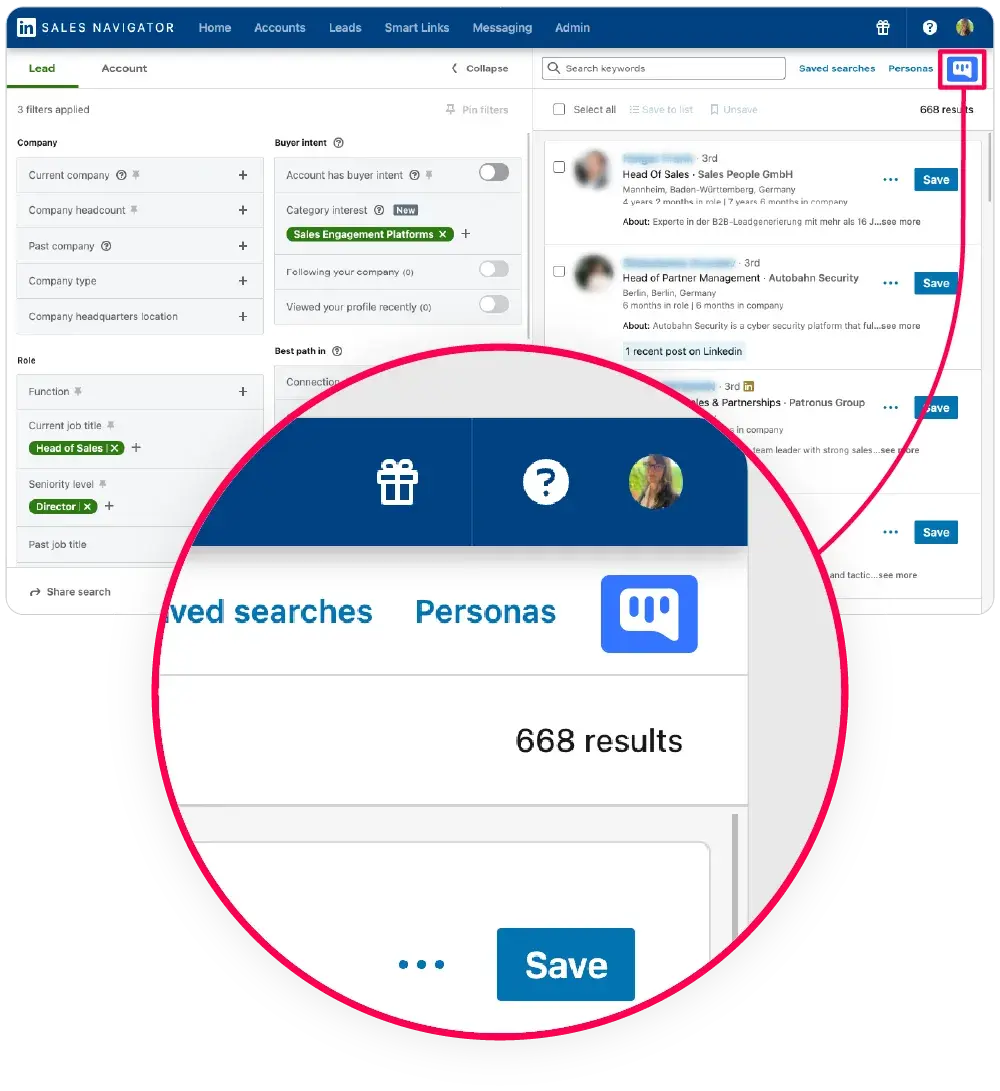
Step 1: Search on LinkedIn
- Use any source.
- LinkedIn Search, Sales Navigator, Recruiter, or Events.
- Apply your filters.
- Job title, location, company size, industry.
- Target your ICP.
- Find the exact prospects you need.
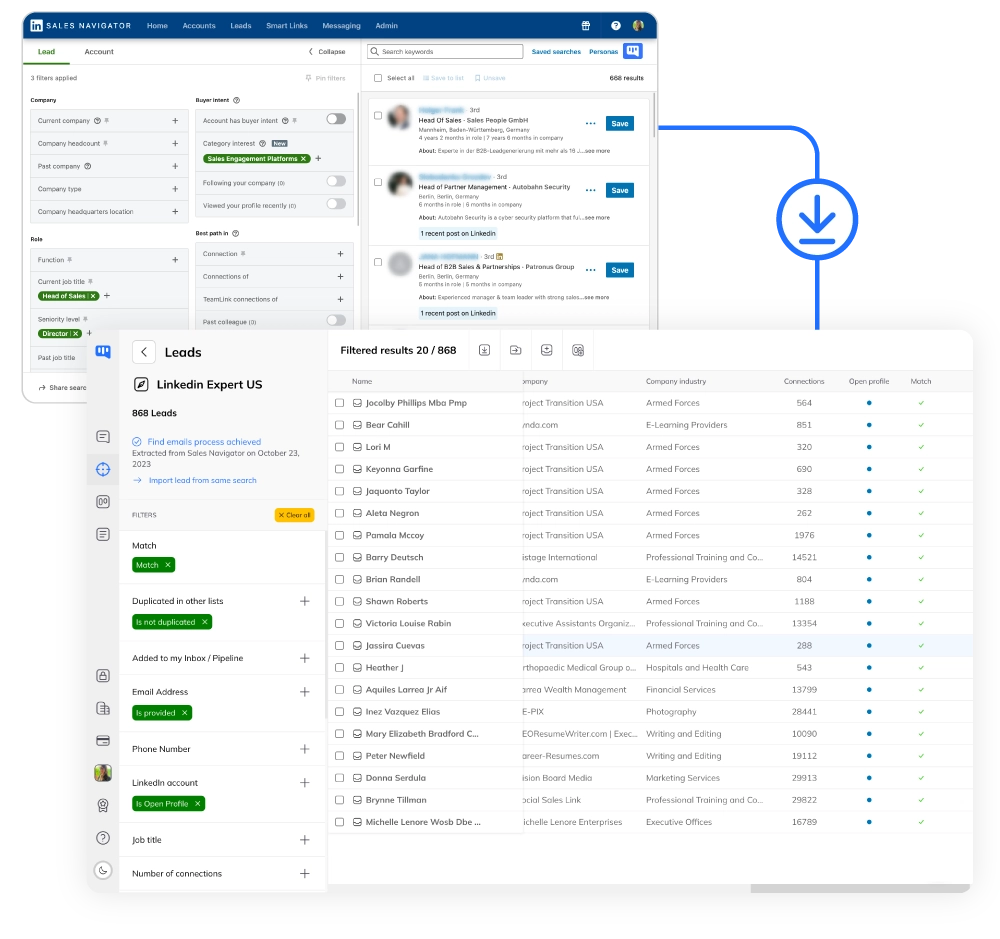
Step 2: Click to Scrape
- One-click extraction.
- Click the Kanbox button to start scraping.
- Auto-deduplication.
- Duplicates are detected and removed automatically.
- Safe limits.
- Respects LinkedIn quotas to protect your account.
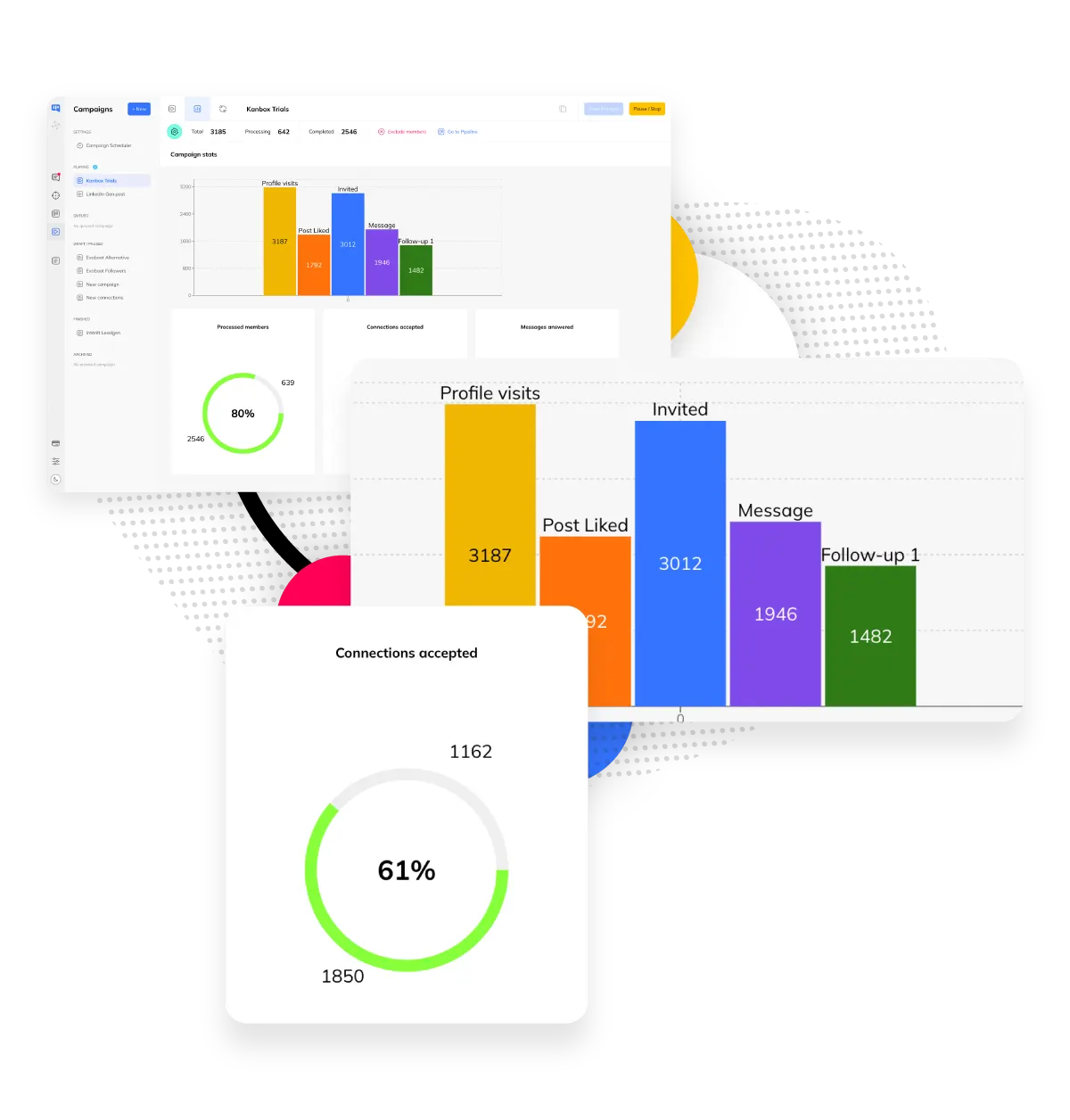
Step 3: Enrich, Export & Connect Your CRM
- Enrich with emails & phones.
- Find verified professional email addresses and phone numbers for your leads.
- Export to CSV or CRM.
- Download clean data or push directly to HubSpot, Salesforce, and more.
- Connect via API & webhooks.
- Automate your data pipeline with REST API and real-time webhook triggers.
- Track everything.
- Visual pipeline to manage your prospects.
Core Features
Scrape from Any LinkedIn Source
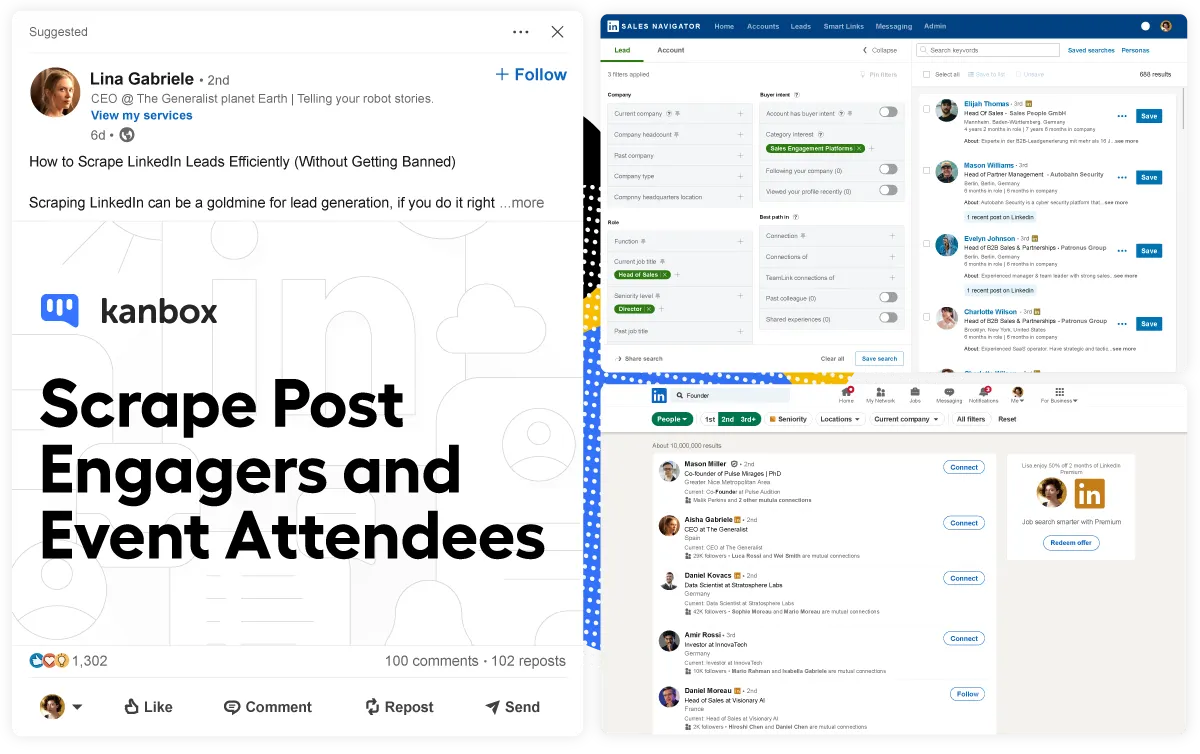
Sales Navigator Scraping
- 2,500 profiles/day.
- Extract from your filtered Sales Navigator searches.
- Advanced filters.
- Industry, job title, company size, seniority level.
- Rich data.
- Name, job, company, location, URL, and more.
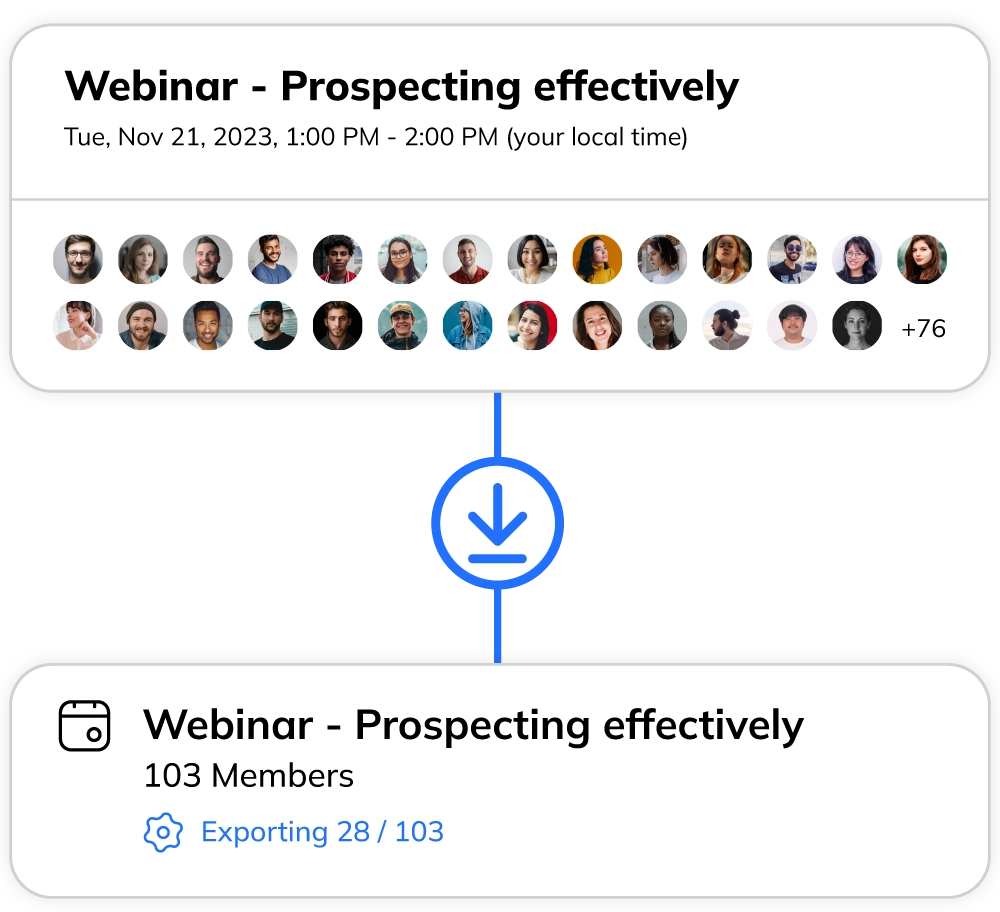
Event Attendees Extraction
- All event types.
- Webinars, conferences, meetups, workshops.
- Warm leads.
- People already interested in your topic.
- Instant extraction.
- From 50 to 5,000+ attendees in seconds.
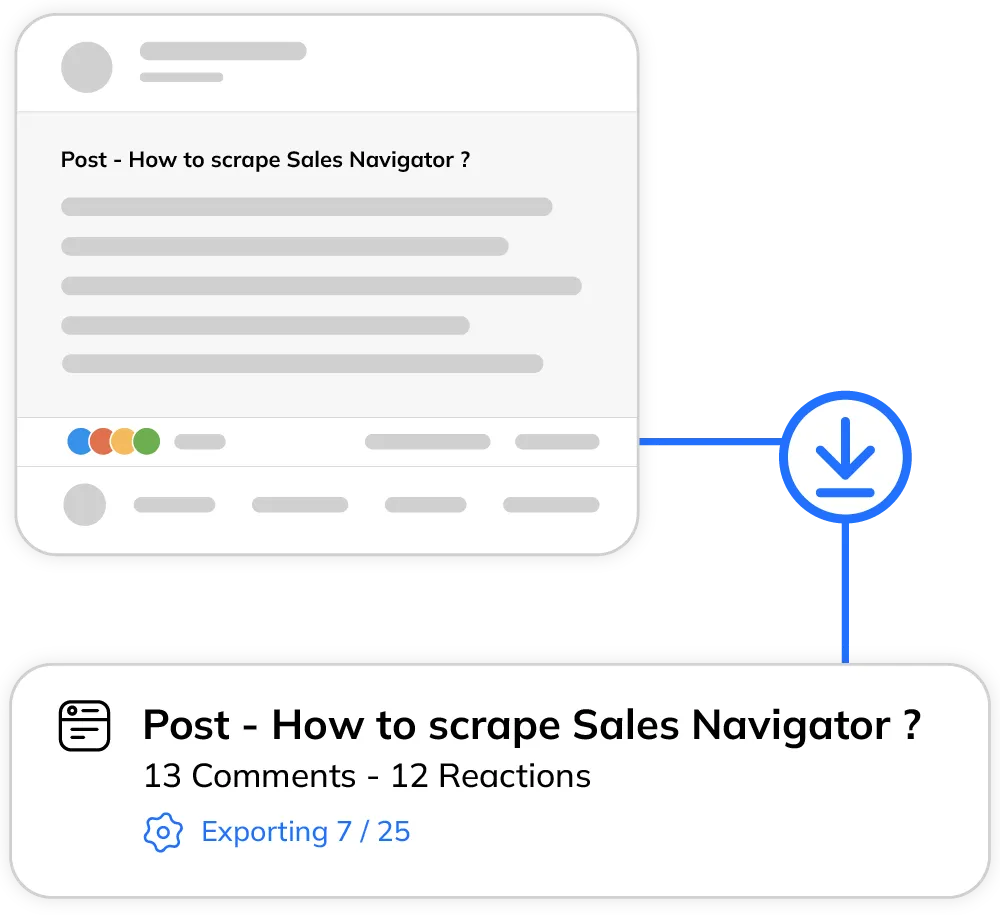
Post Engagement Data Collection
- Engaged prospects.
- Extract people who liked, commented, or shared.
- Interest signals.
- They showed interest in your topic.
- Viral posts.
- Scrape thousands of engaged users.
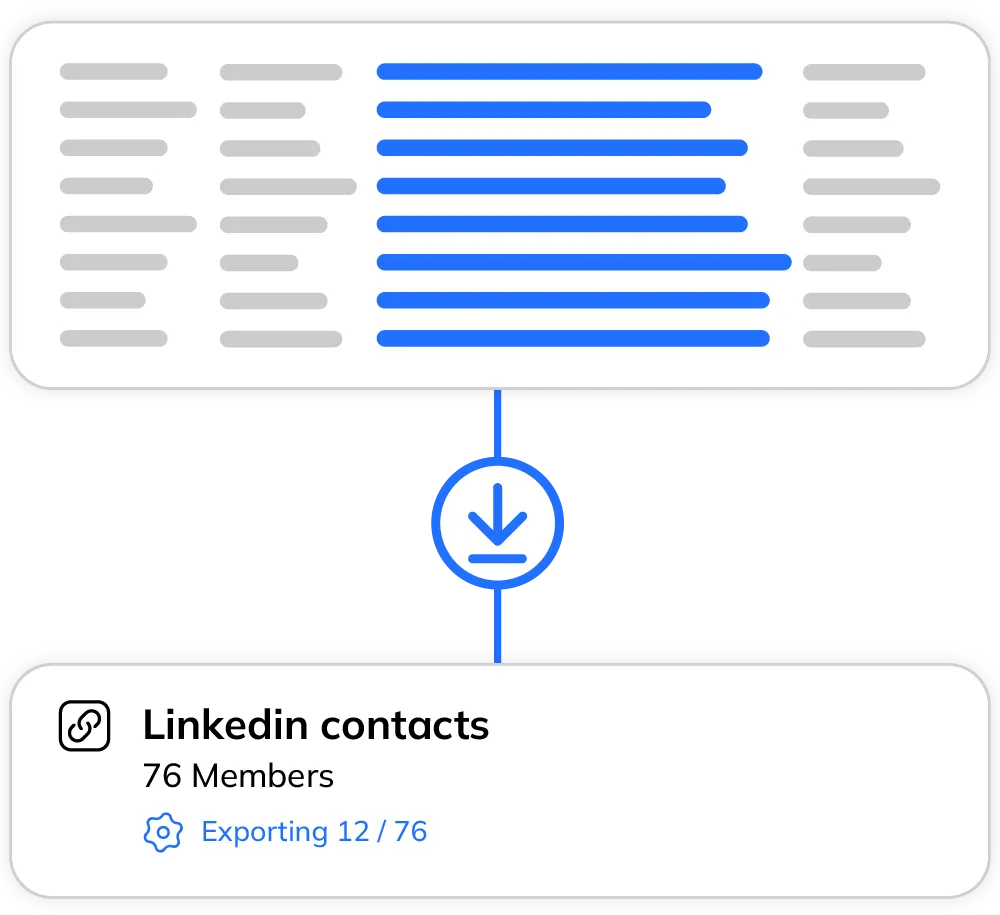
URL List Import
- Bulk import.
- Upload CSV or paste up to 500 LinkedIn URLs.
- Any source.
- Event registrations, webinar lists, CRM exports.
- Data enrichment.
- Kanbox fetches all public profile data.
Recruiter & Recruiter Lite Scraping
- Recruiter access.
- Extract candidate data from LinkedIn Recruiter and Recruiter Lite searches.
- Talent pipeline.
- Build candidate lists with job title, company, location and skills data.
- Bulk candidate export.
- Export up to 2,500 candidates/day with enriched contact data to CSV or your ATS.
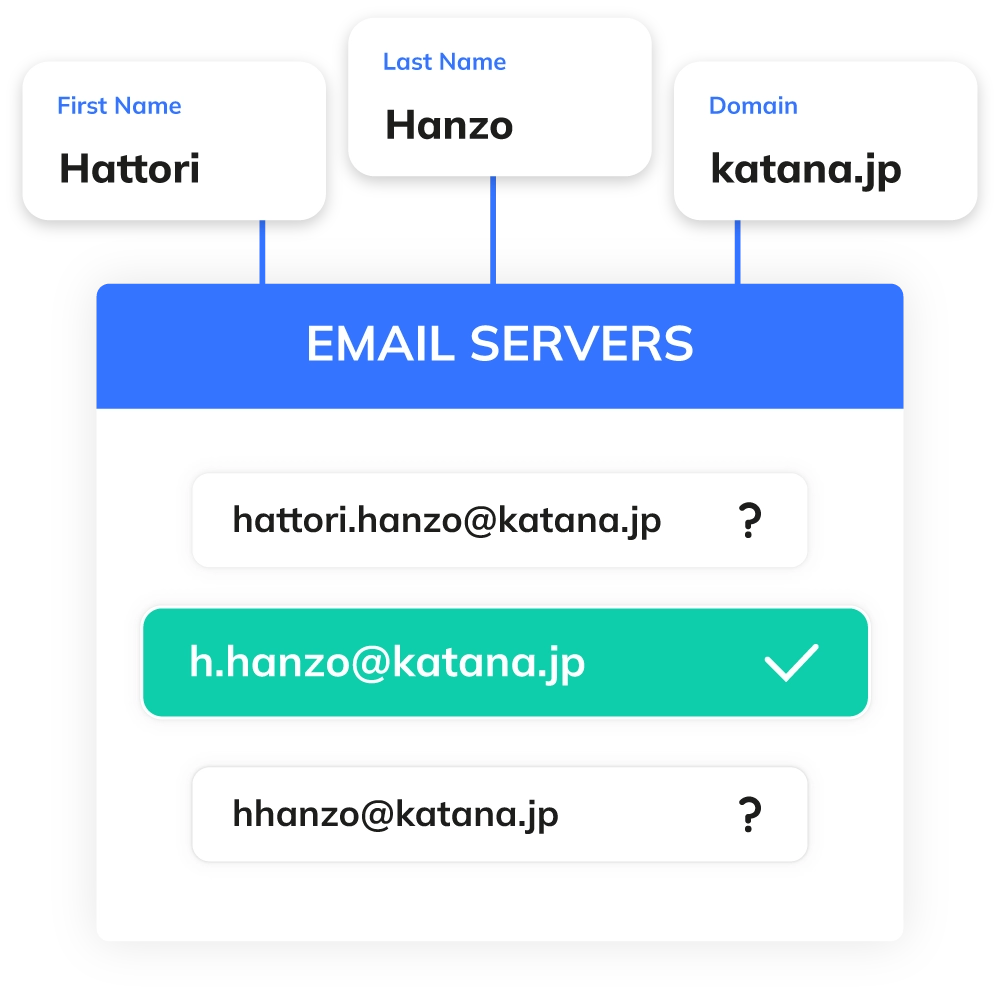
Email & Phone Enrichment
- Verified email finder.
- Find professional email addresses for your scraped leads with high accuracy.
- Phone number enrichment.
- Get direct phone numbers to reach decision-makers faster.
- Company data.
- Enrich profiles with company size, industry, website, and headquarters location.
Ready to Extract Your First 1,000 Leads with Emails?
Start extracting LinkedIn data in minutes. Email enrichment, CRM export, API access. No credit card required.
Start FreeKanbox vs Other LinkedIn Scrapers
| Feature | Other Scrapers | Kanbox |
|---|---|---|
| Multi-source scraping | ~ 1-2 sources | 5+ sources |
| Auto-deduplication | ||
| Event attendees scraping | ||
| Post contributors scraping | ||
| Built-in automation | 6+ steps | |
| Visual pipeline CRM | Kanban | |
| Cloud-based (no extension) | ~ Browser only | |
| Email enrichment | ~ Separate tool | Built-in |
| Recruiter scraping | ||
| API & webhooks | ||
| No code required | ||
| Starting price | £50-100/mo | £15/mo |
What Sales Teams Say About Kanbox
Verified reviews from Kanbox users

UI, Kanban function. Attachments for emails make the process more efficient and structured.
Capterra
Kanbox is a game-changer. Connected to LinkedIn, we can run campaigns, track responses, and manage candidate engagement seamlessly.
Capterra
Clean interface, and the pipeline feature is unlike anything I've used before.
Capterra
Excellent pipeline management and campaigns. Everything is well-structured and streamlined.
Capterra
Kanbox's Kanban-style interface makes organizing leads incredibly easy. Custom pipelines make tracking outreach seamless.
Capterra
Seamless integration with LinkedIn and Sales Navigator. The intuitive inbox makes managing conversations easy and efficient.
Capterra
The best part? The Kanban board and filters make it easy to label and prioritize my leads effectively.
Capterra
Kanban is an excellent tool for anyone who uses LinkedIn for sales. It streamlines collecting, organizing, and interacting with potential clients.
CapterraPricing
Simple, Transparent Pricing
All plans include LinkedIn data extraction, email enrichment and CRM export. Upgrade for more leads and API access.
Starter
- Simultaneous Campaign: 1
- Lead Import: 300 /month
- Cloud-based
- Email Finder
- Smart Linkedin Inbox with Tags and Filters
Essential
- Simultaneous Campaign: 3
- Lead Import: 600 /month
- Cloud-based
- Email Finder
- Smart Linkedin Inbox with Tags and Filters
- Team / Multi-account
- Unlimited account managers
Pro
- Simultaneous Campaign: 5
- Lead Import: 75K /month
- Cloud-based
- Email Finder
- Smart Linkedin Inbox with Tags and Filters
- Unlimited AI Prompts and Prompt Templates
- Team / Multi-account
- Unlimited account managers
- Webhooks / API
Agency 10
- 5 Simultaneous Campaigns
- Lead Import: 75K /month
- Cloud-based
- Email Finder
- Smart Linkedin Inbox with Tags and Filters
- Unlimited AI Prompts and Prompt Templates
- Team / Multi-account
- Unlimited account managers
- Webhooks / API
- Bring your own Proxies
Frequently Asked Questions
1. Is it legal to scrape LinkedIn?
LinkedIn scraping exists in a legal gray area. LinkedIn implements anti-scraping measures and blocks scrapers in its Terms of Service. However, the hiQ Labs case (2019) confirmed extracting publicly available data isn't illegal in the US.
Best practices to respect privacy and security:
- Only scrape public data (no login required)
- Respect daily limits to protect your account
- Use data only for legal B2B prospecting
- Implement random delays between requests to avoid anti-scraping detection
Kanbox automatically applies recommended limits and security measures. Our tool minimizes risks while maximizing efficiency. The platform is cloud-based for enhanced protection.
2. What are the best LinkedIn scraping tools?
The best LinkedIn scrapers share key characteristics. When evaluating tools, consider:
Technical capabilities:
- LinkedIn scraper API for advanced integrations
- Cloud-based infrastructure (no local browser required)
- Multi-source extraction (profiles, events, posts, job listings)
- Complete workflow automation
- No code implementation (unlike Python with Selenium solutions)
Data quality:
- Automatic duplicate cleaning
- Structured CSV export
- Contact enrichment (email, phone)
- Data collection with validation
Kanbox centralizes these features in one platform. Our software combines scraping, automation, and kanban pipelines. With a 15-day trial and pricing starting at £15/month, Kanbox offers the best value for LinkedIn profile scraper users.
3. How many LinkedIn profiles can you scrape per day?
Limits depend on your account type and usage patterns:
- Free LinkedIn: 80 searches/day, ~1,500 profile views/month
- Sales Navigator: 2,500 exports/day
- LinkedIn Recruiter: 2,500 exports/day
- Kanbox: Up to 75,000 profiles/month combining:
- Sales Navigator (2,500/day)
- LinkedIn Recruiter (2,500/day)
- Standard searches (2,400/month)
- Event attendees (unlimited)
- Post contributors (unlimited)
- Profile URL imports (500 per operation)
Kanbox automatically respects limits and distributes scraping to protect your account.
4. Can Kanbox scrape Sales Navigator?
Yes. Extract up to 2,500 profiles/day from Sales Navigator searches with advanced filters.
The Kanbox Chrome extension integrates directly and extracts:
- Name, job title, company
- Location, LinkedIn profile URL
- Headline, summary (if public)
How it works:
- Perform Sales Navigator search with filters
- Click Kanbox button
- Automatic extraction processes all visible profiles
- Download cleaned CSV
Exports are automatically cleaned with duplicate removal and standardized formatting.
5. How does Kanbox avoid duplicates?
Kanbox applies automatic deduplication based on LinkedIn profile URL (unique identifier). When scraping from multiple sources, Kanbox detects existing profiles and exports them only once.
Process:
- URL-based identification for each profile
- Real-time detection during extraction
- Intelligent merging from multiple sources
- Keeps most complete version with all data
Result: Clean CSV files with zero duplicates, ready to use immediately.
6. Can you scrape LinkedIn event attendees?
Yes. Kanbox automatically extracts attendees from LinkedIn events (webinars, conferences, meetups).
Extracted data:
- Names, job titles, companies
- Locations, profile URLs
- Attendance status
Why scrape events?
Event participants are warm leads—they showed interest in your topic. Response rates are 3-5x higher than cold outreach.
Works for all event types. Extraction takes seconds regardless of size (50 to 5,000+ attendees).
7. What data can you extract with Kanbox?
Kanbox extracts public data from LinkedIn profiles, respecting privacy settings:
Profile information:
- Name, job title, company
- Work experience, education
- Skills, certifications
- LinkedIn URL (unique identifier)
Contact data (if public or enriched):
- Professional email
- Phone number
- Website, social links
LinkedIn profile data is exported in structured CSV, ready to import into your CRM or prospecting tool.
8. Does Kanbox work without Sales Navigator?
Yes. Kanbox works with free, Premium, Sales Navigator, or LinkedIn Recruiter accounts.
Without Sales Navigator/Recruiter:
- 80 searches/day for profile extraction
- Extract connections (1st, 2nd, 3rd degree)
- Event attendees (unlimited)
- Post contributors (unlimited)
- URL imports (500 per operation)
With Sales Navigator or LinkedIn Recruiter:
- 2,500 profiles/day with advanced filters
- Advanced search capabilities
- Enhanced data visibility
Kanbox automatically adapts to your account type.
9. How to use a LinkedIn scraper?
5-step workflow for scraping LinkedIn:
- Step 1: Install Kanbox Chrome extension (1-click, no code required)
- Step 2: Log in to your LinkedIn account
- Step 3: Perform search with targeting criteria (job title, location, company)
- Step 4: Click Kanbox button to activate scraping (takes 5 seconds)
- Step 5: Download CSV with profile data (name, job, company, URL)
Example: Scrape 500 profiles in 3 minutes:
- 30 sec: Search
- 5 sec: Click button
- 2 min: Automatic extraction
- 15 sec: Download
No coding knowledge needed.
10. How to generate leads with LinkedIn?
4-step lead generation workflow:
1. Precise targeting
Use LinkedIn filters: industry, job title, location, company size. Target decision-makers matching your ICP.
2. Profile extraction
Scrape matching profiles with Kanbox in 1 click. Sources: Sales Navigator, Events, Post engagement, Standard searches.
3. Data organization
Kanbox cleans and structures CSV exports. Organize prospects in kanban pipelines.
4. Multi-channel campaigns
Launch automated outreach: LinkedIn visits, invitations, messages. Kanbox automates sending with A/B testing.
Results: 3x more leads monthly, 10h/week saved per rep, 45% higher conversion rate.
11. How to scrape LinkedIn without getting blocked?
LinkedIn blocks scrapers aggressively. To avoid getting blocked:
Technical methods:
- Use a browser-based tool instead of Python scripts
- Implement random delays between actions
- Respect daily and monthly limits
- Avoid running multiple scraping sessions simultaneously
Security practices:
- Run scraping during business hours
- Don't scrape all day continuously
- Respect LinkedIn's Terms of Service
Recommended approach: Use a cloud-based platform like Kanbox that implements all these protection measures automatically.
12. Can you use LinkedIn scraping for recruitment?
Yes. LinkedIn scraping is highly effective for recruitment.
Recruitment workflows:
- Scrape candidates with specific skills
- Extract people from competitor companies
- Build talent pools for future openings
- Track growth of talent in emerging fields
Advantages for recruiters:
- Efficiency: Scrape hundreds of candidates in minutes
- Data quality: Structured data ready for your ATS
- Passive candidates: Access people not actively job searching
Best practices: Respect candidate privacy, use data only for legitimate recruitment, comply with GDPR.
13. How to scrape emails from LinkedIn?
LinkedIn doesn't display professional emails directly on profiles. To get emails from LinkedIn profiles, you need a data enrichment tool.
How it works with Kanbox:
- Scrape profiles: Extract profiles from Sales Navigator, events, or posts
- Automatic enrichment: Kanbox searches for the professional email associated with each profile
- SMTP verification: Emails are validated in real-time to ensure deliverability
- Complete export: Download CSV with profile + verified email
Discovery rates:
- 60-80% of B2B profiles have a findable email
- 98% accuracy thanks to SMTP verification
- Professional emails only (no Gmail/Yahoo)
Pricing: Email enrichment is included in Kanbox plans. You only pay for emails found and verified, not for searches with no results.
Unlike tools like Hunter or Dropcontact that charge separately, Kanbox combines scraping + enrichment in a single platform.
14. How does Kanbox compare to other LinkedIn scrapers?
Kanbox stands out from other LinkedIn scraping tools in several key areas:
Data extraction:
- Multi-source: 5+ sources (Sales Navigator, Recruiter, Events, Posts, URL imports) vs 1-2 for most competitors
- Volume: Up to 75,000 profiles/month vs 5,000-10,000 for typical scrapers
- Email enrichment: Built-in email and phone finder vs separate tool required
Workflow integration:
- CRM export: CSV, API, webhooks — push data to HubSpot, Salesforce, Pipedrive
- Automation: Built-in outreach sequences (most scrapers are extraction-only)
- Pipeline: Visual kanban CRM included
Safety & reliability:
- Cloud-based: No risky browser extension required
- Auto-deduplication: Zero duplicates across all lists
- LinkedIn limits: Automatic rate limiting to protect your account
Pricing: Starting at £15/month vs £50-100/month for comparable tools. Try Kanbox with a 15-day trial, no credit card required.
15. Does Kanbox have a LinkedIn scraper API?
Yes. Kanbox offers API access and webhooks for advanced integrations, available on Pro and Agency plans.
Integration capabilities:
- Incoming and outgoing webhooks: Trigger actions when new profiles are scraped or when leads move through your pipeline
- API access: Connect Kanbox to your existing tech stack programmatically
- Zapier integration: Connect with 5,000+ apps including HubSpot, Salesforce, Pipedrive, Slack
- Make/N8N support: Build custom automation workflows
Common use cases:
- Auto-sync scraped leads to your CRM
- Trigger Slack notifications when high-value prospects are found
- Push enriched data to your marketing automation platform
- Build custom dashboards with your BI tools
Export options (all plans):
- CSV export with all profile data
- Structured data ready for any CRM import
API and webhooks are included in Pro (from £99/month) and Agency plans. Starter and Essential plans can use CSV export and Zapier for basic integrations.
Ready to Extract 75,000 Leads/Month with Enriched Emails?
Join thousands of sales teams who extract LinkedIn data, enrich emails, and export to CRM — all in one tool.
15-day trial · No credit card required · Full access from day one