Best Meet Alfred Alternatives in 2026: Top 7 Tools

Meet Alfred positioned itself early as one of the first multi-channel LinkedIn automation tools -- combining LinkedIn, email, and Twitter outreach in a single dashboard. For teams that wanted to move beyond LinkedIn-only automation, it offered a compelling pitch: run your entire outreach operation from one place, with a built-in CRM to manage contacts.
But the LinkedIn automation market in 2026 has matured significantly. What was once a differentiator -- multichannel support and a basic CRM -- is now table stakes. Meanwhile, the features that modern sales teams actually need day-to-day have evolved: massive lead extraction from multiple LinkedIn sources, smart inboxes that handle high-volume conversations, visual Kanban pipelines for tracking prospects through your funnel, and LinkedIn-first automation that stays safely within platform limits.
If you are evaluating a Meet Alfred alternative -- whether because you have outgrown its feature set, need better LinkedIn-specific tools, or simply want more value for your budget -- this guide breaks down the seven strongest competitors available right now.
We compare pricing, core features, strengths, weaknesses, and ideal use cases. No filler -- just the data you need to choose the right tool.
 Try Kanbox
15-day trial. No credit card required.
Try Kanbox
15-day trial. No credit card required.
What Is Meet Alfred?
Meet Alfred is a cloud-based outreach automation platform that combines LinkedIn, email, and Twitter campaigns in a single tool. Originally launched as Leonard (later rebranded), it targets sales teams and agencies looking for a multi-channel approach to prospecting without juggling separate tools for each channel.
Meet Alfred differentiates itself with a built-in CRM, campaign templates, and the ability to schedule actions across LinkedIn, email, and Twitter from one dashboard. It also includes team management features on higher plans, making it a popular choice for small-to-medium sales organizations.
The tool runs entirely in the cloud, meaning campaigns continue executing even when your browser is closed -- an important safety advantage over browser-extension-based automation tools.
Meet Alfred pricing in 2026
Meet Alfred offers three plans, all billed per user:
- Basic: $59/month -- LinkedIn automation only, single user, basic campaign features
- Pro: $99/month -- multichannel (LinkedIn + email + Twitter), built-in CRM, team dashboard, advanced scheduling
- Team: $79/month per user -- volume discounts, team inbox, white label (5+ users), dedicated account manager (10+ users)
Annual billing offers 50% off: Basic drops to 39/month, and Team to 49/month (annual) -- putting Meet Alfred in the mid-to-upper tier of the market for teams.
Why Look for a Meet Alfred Alternative?
Meet Alfred handles multi-channel outreach adequately for small teams. But as your prospecting operation scales, several structural limitations emerge. These are the most common reasons teams start searching for Meet Alfred alternatives.
Multichannel features locked behind the Business plan
The core selling point of Meet Alfred -- combining LinkedIn, email, and Twitter in one tool -- is only available on the Pro plan at 39/month annual). The Basic plan at 29/month annual) is LinkedIn-only, which puts it in direct competition with tools that offer more LinkedIn-specific features at a lower price. You are essentially paying a premium for the promise of multichannel, but only unlocking it at the higher tier.
Built-in CRM lacks depth
Meet Alfred includes a CRM, but it is basic compared to what modern LinkedIn automation platforms now offer. There is no Kanban-style visual pipeline where you can drag prospects through custom stages. Contact management relies on tags and lists rather than a structured funnel view. For sales teams that need to track prospects from first touch to closed deal, the CRM often requires supplementing with an external tool -- defeating the purpose of an all-in-one platform.
Limited lead extraction and data enrichment
Meet Alfred is designed primarily for executing outreach campaigns, not for large-scale lead generation. You cannot scrape thousands of profiles from LinkedIn Sales Navigator searches, events, posts, or groups. Data enrichment -- verified emails, company details, job changes -- is minimal. Teams that rely on high-volume lead extraction need a separate LinkedIn scraper alongside Meet Alfred, adding cost and complexity.
No smart inbox for LinkedIn conversations
Managing replies is one of the most time-consuming parts of LinkedIn prospecting. Meet Alfred does not include a dedicated smart inbox with filtering by campaign, conversation tagging, message templates, or bulk actions. When you are running multiple campaigns generating dozens of responses daily, the lack of a proper inbox management tool creates a significant bottleneck.
Interface feels dated
While functional, Meet Alfred's user interface has not kept pace with modern competitors. The dashboard design, navigation, and overall UX feel less polished than newer tools like Kanbox, Expandi, or La Growth Machine. For teams that spend hours daily in their automation tool, a smoother interface directly impacts productivity and adoption.
Email and Twitter channels lack sophistication
Although Meet Alfred supports three outreach channels, neither the email nor Twitter automation matches what dedicated multichannel tools offer. Email sequences are basic compared to platforms like La Growth Machine. Twitter automation is limited in scope. Teams that genuinely need sophisticated multichannel workflows often find Meet Alfred's implementation too surface-level, while teams that primarily use LinkedIn end up paying for channels they barely use.
Top 7 Meet Alfred Alternatives in 2026
1. Kanbox -- The all-in-one LinkedIn automation platform
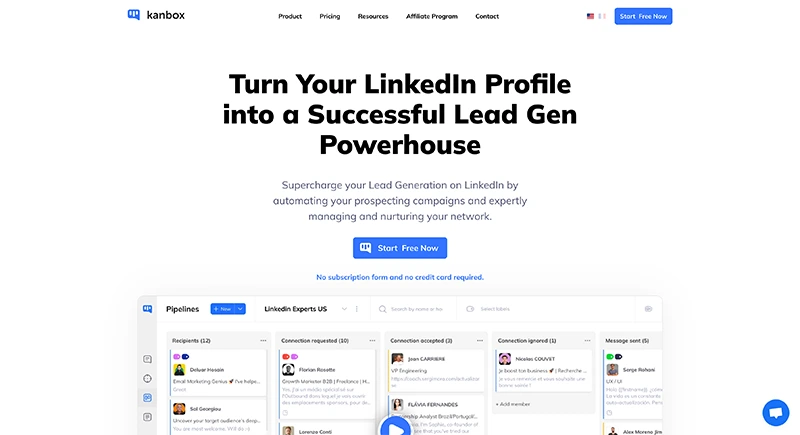
Kanbox is a cloud-based platform that unifies LinkedIn automation, large-scale lead extraction, CRM pipeline management, and a smart inbox into a single tool. Built for sales teams, recruiters, and agencies, it delivers the full prospecting workflow that Meet Alfred only partially covers.
Where Meet Alfred spreads its efforts across three channels with moderate depth in each, Kanbox goes deep on LinkedIn -- the channel that actually drives the majority of B2B pipeline. Extract leads from LinkedIn and Sales Navigator, enrich the data, launch automated sequences, manage conversations through the smart inbox, and track every prospect through a visual Kanban pipeline -- all without leaving the platform or paying for add-ons.
On the Pro plan ($50/month yearly), Kanbox also includes AI-powered features: AI Prompt Templates that generate unique messages from prospect profile data, an ICP AI Filter that automatically scores leads against your ideal customer profile, and an AI Response Agent that classifies replies and takes action automatically.
Key features
- Extract up to 75,000 LinkedIn profiles/month from Sales Navigator, posts, events, and groups
- Launch automated sequences: profile visit, follow, connect, message, follow-up with custom delays
- Smart inbox with tags, filters, templates, and bulk actions for managing LinkedIn conversations
- Kanban CRM to track prospects through customizable pipeline stages
- Lead enrichment with verified email, job title, company data, and LinkedIn profile details
- Team collaboration with shared pipelines and role-based access
- GDPR-compliant, cloud-based architecture (no browser extension needed)
- API access and integrations via Zapier, Make, n8n
Pricing
- Starter: $10/month (yearly) -- lead management, smart inbox, basic automation
- Growth: $30/month (yearly) -- advanced automation, team features, 2,500 leads/month
- Pro: $50/month (yearly) -- 75,000 leads/month, advanced API, full analytics
- 15-day trial, no credit card required
Pros
- Most complete LinkedIn feature set at the lowest entry price on the market
- Built-in Kanban CRM eliminates the need for external pipeline tools
- Smart inbox saves hours on LinkedIn conversation management daily
- Massive lead extraction capacity (up to 75,000/month on Pro)
- Clean, modern interface with minimal learning curve
- Cloud-based and GDPR-compliant by design
Cons
- Multichannel email outreach channel in development
- Newer brand -- less established than tools like Meet Alfred or Dux-Soup
Best for
Sales teams, recruiters, and agencies who want a single platform to handle LinkedIn automation, lead extraction, pipeline tracking, and conversation management -- at a price point that is 5-10x lower than Meet Alfred for comparable functionality.
Join them today and boost your LinkedIn prospecting.
2. Expandi -- Enterprise-grade safety and multichannel outreach
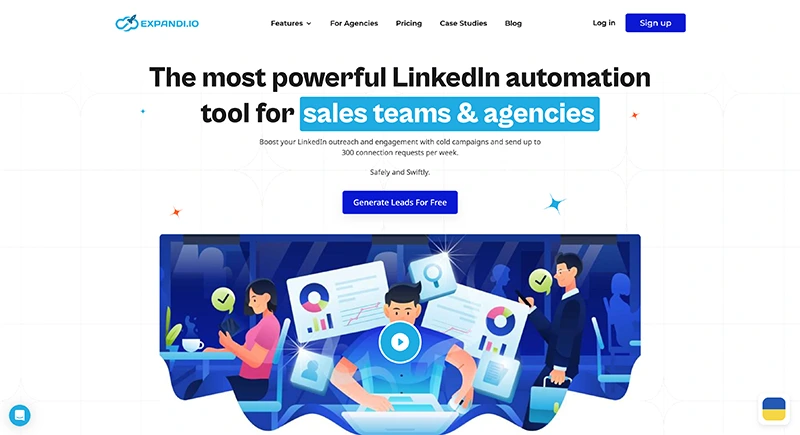
Expandi is a premium LinkedIn automation tool designed for agencies and experienced users who prioritize LinkedIn account safety above all else. It offers dedicated IP addresses per account, human-like behavior simulation, and true multichannel sequences combining LinkedIn actions with email outreach.
For teams moving away from Meet Alfred because of safety concerns or the need for more sophisticated campaign logic, Expandi offers a significant upgrade -- though at a higher price point.
Key features
- Multi-step sequences combining LinkedIn and email actions in one workflow
- Dedicated IP address per LinkedIn account for maximum safety
- A/B testing on messages and sequences
- Smart reply detection and inbox warm-up
- Native integrations plus Zapier, webhooks, and API access
- Advanced campaign analytics and team reporting
Pricing
- Single plan: $99/month per user (annual billing offers approximately 20% discount)
Pros
- Industry-leading LinkedIn account safety features
- True multichannel sequences (LinkedIn + email natively integrated)
- Strong A/B testing and message personalization
- Well-suited for agencies managing multiple client accounts
- Reliable and mature platform with a proven track record
Cons
- Most expensive option on this list at $99/month with no lower-tier plan
- Steeper learning curve for users new to automation
- No built-in CRM or pipeline management (relies on integrations)
- Lead extraction capabilities are limited compared to Kanbox
Best for
Agencies and enterprise sales teams that need maximum LinkedIn safety, true multichannel outreach, and are willing to invest in a premium tool. Not ideal for solo users or small teams on a budget.
3. HeyReach -- Multi-account LinkedIn outreach for agencies
HeyReach is purpose-built for teams and agencies that manage outreach across multiple LinkedIn accounts simultaneously. Its core strength is centralized campaign management -- rotate campaigns across several LinkedIn profiles from a single dashboard.
If the reason you are leaving Meet Alfred is to manage more LinkedIn accounts with better centralized control, HeyReach directly addresses that gap.
Key features
- Manage multiple LinkedIn accounts from one centralized dashboard
- Campaign rotation across accounts to distribute outreach volume
- Basic message sequences with follow-ups and delay settings
- Team-oriented interface with shared campaign visibility
- Unified inbox across managed accounts
Pricing
- Starter: $79/month per user
- Agency plans with volume discounts for 5+ accounts
Pros
- Best-in-class multi-account management for agencies
- Clean, focused interface designed for campaign operations
- Campaign rotation helps distribute LinkedIn activity safely
- Good onboarding experience and customer support
Cons
- LinkedIn-only -- no email, Twitter, or other outreach channels
- No built-in CRM or visual pipeline management
- No smart inbox with tags, filters, or bulk actions
- Limited lead extraction and enrichment capabilities
- High price ($79/month) for a LinkedIn-only tool
Best for
Agencies and sales teams that need to coordinate outreach across many LinkedIn accounts and prioritize centralized campaign control over feature breadth.
Learn more: Kanbox vs HeyReach | HeyReach alternatives
4. Waalaxy -- Simple LinkedIn + email for solopreneurs
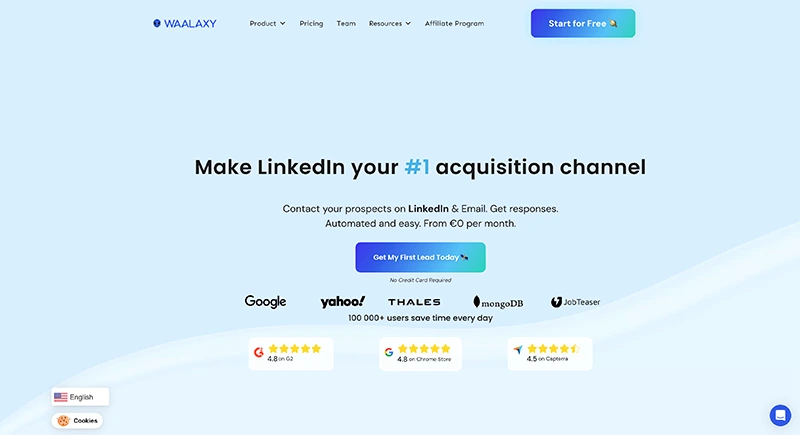
Waalaxy is one of the most popular LinkedIn automation tools among freelancers and solopreneurs, especially in Europe. Its main appeal is simplicity: set up a LinkedIn + email sequence in minutes using pre-built templates, without any technical knowledge.
If Meet Alfred felt like overkill for your needs, Waalaxy offers a lighter, more accessible alternative -- though with its own set of trade-offs at scale.
Key features
- LinkedIn + email sequences combined in a single workflow
- Pre-built campaign templates for common outreach scenarios
- CRM-like contact management with basic filtering
- Chrome extension + cloud hybrid architecture
- Built-in email finder with credit-based system
Pricing
- Advanced: EUR30/month -- LinkedIn automation only
- Business: EUR50/month -- LinkedIn + email + email finder credits
- Annual billing discounts available
Pros
- Extremely easy to set up and start using within minutes
- Multichannel (LinkedIn + email) available on Business plan
- Strong template library for quick campaign launches
- Intuitive visual sequence builder
- Active community, especially among French-speaking users
Cons
- Lead extraction limited compared to Kanbox or Phantombuster
- No Kanban pipeline or advanced CRM functionality
- Email finder credits are limited and expensive to replenish
- Less suited for large teams or agencies with complex needs
- Chrome extension dependency can cause stability and detection issues
- 800 invitations/month cap on all plans
Best for
Solo professionals and freelancers who want a simple, affordable LinkedIn + email tool with minimal setup and do not need advanced CRM, team collaboration, or large-scale lead extraction.
Learn more: Waalaxy alternatives
5. Dripify -- Cloud-based LinkedIn drip campaigns
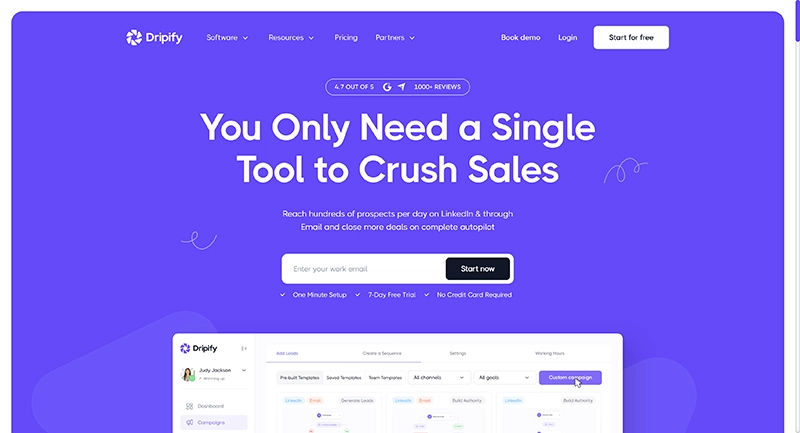
Dripify is a cloud-based LinkedIn automation platform focused on drip campaigns -- automated sequences of profile views, connection requests, messages, and follow-ups that run without your computer being on.
Where Meet Alfred tries to be a multichannel tool, Dripify concentrates on LinkedIn drip sequences. If you are leaving Meet Alfred because you only use LinkedIn and want a simpler, campaign-focused tool, Dripify is worth evaluating -- though it comes with its own limitations.
Key features
- Visual drip campaign builder with customizable sequences
- Cloud-based operation for hands-off campaign execution
- A/B testing on messages (Pro plan and above)
- Basic team management on Advanced plan
- Personal inbox on Pro plan
- Integration via webhooks and Zapier
Pricing
- Basic: $59/month -- 1 drip campaign, basic analytics
- Pro: $79/month -- unlimited campaigns, A/B testing, personal inbox
- Advanced: $99/month -- team management, activity control
- Annual billing: 59, and $79/month respectively
Pros
- Clean drip campaign builder that is easy to set up
- Cloud-based architecture avoids browser extension risks
- A/B testing available on mid-tier plan
- Decent pricing on annual billing for basic needs
Cons
- No built-in CRM pipeline or Kanban board
- Limited lead extraction capabilities
- Basic inbox that does not scale with high-volume outreach
- Team features only on the $99/month plan
- No multichannel outreach (LinkedIn only with basic email)
Best for
Solo sales reps and small teams who want a straightforward LinkedIn drip campaign tool without needing CRM, inbox management, or large-scale lead extraction.
Learn more: Dripify alternatives
6. La Growth Machine -- Multichannel sequences for growth teams
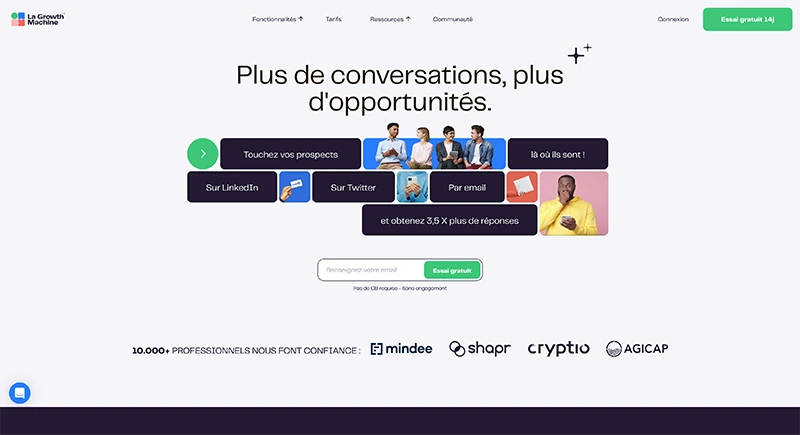
La Growth Machine (LGM) is the most direct multichannel competitor to Meet Alfred -- offering LinkedIn, email, and Twitter in sophisticated workflow-based campaigns with conditional branching logic. If you are leaving Meet Alfred because its multichannel features are too basic, LGM is the natural upgrade.
LGM stands out with its visual workflow builder that lets you create complex campaign trees with if/then conditions, channel switches, and automatic lead routing based on prospect behavior.
Key features
- LinkedIn + email + Twitter sequences in a single campaign
- Visual workflow builder with branching logic and conditions
- Lead enrichment and email verification built into the platform
- Native CRM sync with HubSpot, Pipedrive, and Salesforce
- Team collaboration with shared campaigns and templates
- Detailed analytics per channel, campaign, and sequence step
Pricing
- Basic: EUR60/month -- LinkedIn + email automation
- Pro: EUR100/month -- all three channels + enrichment + CRM sync
- Enterprise: custom pricing with dedicated support
- Annual billing discounts available
Pros
- True three-channel outreach (LinkedIn, email, Twitter) in one tool
- Most advanced workflow builder with conditional branching
- Strong native CRM integrations (no Zapier workarounds needed)
- Good data enrichment and email verification
- Detailed per-channel analytics for optimization
Cons
- Expensive entry point at EUR60/month minimum
- Complex interface requires onboarding and ramp-up time
- Overkill for teams that only need LinkedIn automation
- No smart inbox for managing LinkedIn conversations
- Learning curve can slow down initial campaign deployment
Best for
Growth teams and sales ops professionals who run sophisticated multichannel campaigns across LinkedIn, email, and Twitter, and already use a CRM like HubSpot or Pipedrive that they want natively integrated.
Learn more: La Growth Machine alternatives
7. Dux-Soup -- Browser-based LinkedIn automation on a budget
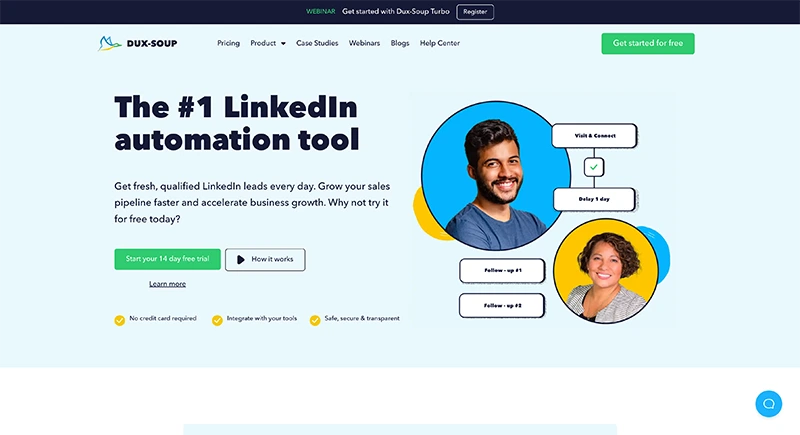
Dux-Soup is one of the oldest LinkedIn automation tools still in active use. It operates primarily as a Chrome extension, automating profile visits, connection requests, endorsements, and messages directly from your browser session.
If budget is your primary concern and you need basic LinkedIn automation without the bells and whistles, Dux-Soup delivers at the lowest price point on this list -- though with significant trade-offs in functionality and safety.
Key features
- Automated profile visits, endorsements, skill endorsements, and connection requests
- Message sequences with follow-ups and custom delays
- CSV export of scraped profile data
- Integration with CRM tools via Zapier
- Tag and note system for organizing contacts
- Cloud version available (Cloud Dux) for hands-off operation
Pricing
- Pro Dux: $14.99/month -- basic automation features
- Turbo Dux: $55/month -- advanced sequences + CRM integration
- Cloud Dux: $99/month -- cloud-based operation (no browser needed)
- Annual billing discounts available
Pros
- Lowest entry price among LinkedIn automation tools
- Simple and straightforward for basic prospecting tasks
- Long track record as an established market player
- Good for individual prospectors doing low-volume outreach
Cons
- Chrome extension dependency increases LinkedIn detection risk
- No smart inbox or conversation management
- No built-in CRM pipeline or Kanban board
- Limited scalability for teams or agencies
- Interface and UX feel outdated compared to modern tools
- Cloud version ($99/month) eliminates the price advantage entirely
Best for
Individual prospectors and freelancers on a tight budget who need basic LinkedIn automation and do not require CRM, inbox management, or team collaboration features.
Meet Alfred Alternatives -- Comparison Table (2026)
| Tool | Starts at | Multichannel | CRM / Pipeline | Smart Inbox | Lead Extraction | Best For | Trial |
|---|---|---|---|---|---|---|---|
| Kanbox | $10/mo (yearly) | Roadmap | Built-in Kanban | Yes + tags | 75,000/mo | Sales teams, agencies | 15 days |
| Expandi | $99/mo | LinkedIn + email | Via integrations | Warm-up + A/B | Via integrations | Agencies, enterprise | 7 days |
| HeyReach | $79/mo | LinkedIn only | No | Unified basic | Limited | Multi-account agencies | 7 days |
| Waalaxy | EUR30/mo | LinkedIn + email | Basic | No | Limited | Solopreneurs | 7 days |
| Dripify | $59/mo | Basic email | Basic | Basic (Pro) | Limited | Solo users | 7 days |
| La Growth Machine | EUR60/mo | LinkedIn + email + Twitter | CRM sync | No | Built-in enrichment | Growth teams | 14 days |
| Dux-Soup | $14.99/mo | LinkedIn only | Via Zapier | No | CSV export | Budget prospectors | 15 days |
| Meet Alfred | $59/mo | LinkedIn + email + Twitter | Built-in basic | No | Limited | Small sales teams | 14 days |
How to Choose the Right Meet Alfred Alternative
Selecting the right Meet Alfred replacement depends on what drove you to look for alternatives in the first place. Here is a framework to guide your decision.
Decide: multichannel or LinkedIn-first?
Meet Alfred's core pitch is multichannel outreach. But ask yourself honestly: how much of your pipeline actually comes from email and Twitter vs. LinkedIn? If LinkedIn drives 80%+ of your B2B conversations (as it does for most sales teams), a LinkedIn-first tool like Kanbox will deliver more value per dollar than a multichannel tool that spreads itself thin. If you genuinely need sophisticated multichannel workflows, La Growth Machine is the strongest option in that category.
Evaluate your lead volume needs
Meet Alfred was not built for large-scale lead extraction. If you need to pull thousands of profiles from Sales Navigator, LinkedIn events, or post engagement, you need a tool with dedicated scraping capabilities. Kanbox supports up to 75,000 profiles/month -- the highest extraction capacity on this list by a wide margin.
Assess your CRM requirements
Meet Alfred includes a basic CRM, but it lacks visual pipeline management. If you already use HubSpot, Pipedrive, or Salesforce, La Growth Machine offers the best native CRM sync. If you want a built-in Kanban pipeline that eliminates the need for a separate CRM subscription, Kanbox is the clear choice.
Factor in inbox management
If you are running multiple campaigns and generating dozens of LinkedIn replies daily, inbox management becomes critical. Most tools on this list -- including Meet Alfred -- lack a dedicated smart inbox. Kanbox stands alone with a full Smart Inbox featuring tags, filters, templates, reminders, and bulk actions included in every plan.
Calculate total cost of ownership
Do not just compare the headline subscription price. Build a complete picture:
- Monthly lead extraction and enrichment volume
- Whether you need a separate CRM subscription
- Email finder credits and verification costs
- Number of users and per-seat pricing
- Integration costs (Zapier plans, webhooks, etc.)
**Kanbox at 99/month per user just to access multichannel and CRM features.
Test before committing
Every tool on this list offers a trial period -- from 7 to 15 days. Take advantage of them. Set up a real campaign with your actual prospect list, test the inbox management, try the CRM or pipeline features, and evaluate how the tool fits your daily workflow before signing an annual contract.
Try Kanbox
15-day trial. No credit card required.
Why Kanbox Is the Best Meet Alfred Alternative in 2026
After analyzing all seven alternatives across pricing, features, team capabilities, and overall value, one platform consistently outperforms the rest: Kanbox.
More features at a fraction of the cost
While Meet Alfred charges 10/month (yearly)** and includes features that Meet Alfred either locks behind its premium tier or does not offer at all. CRM pipeline, smart inbox, lead enrichment, team collaboration, and large-scale lead extraction are all part of the Kanbox platform from day one.
At the highest tier, Kanbox Pro at $50/month delivers 75,000 leads/month, full API access, and advanced analytics -- capabilities that no Meet Alfred plan matches at any price.
LinkedIn depth beats multichannel breadth
Meet Alfred tries to cover LinkedIn, email, and Twitter but does none of them exceptionally well. Kanbox focuses exclusively on LinkedIn -- the channel that generates the most B2B pipeline -- and delivers the deepest feature set for it. From massive lead extraction to automated sequences to smart inbox management, every feature is designed around LinkedIn workflows.
For the vast majority of B2B sales teams and recruiters, this LinkedIn-first approach delivers better results than spreading automation across three channels with mediocre depth in each.
A CRM designed for LinkedIn prospecting
Most LinkedIn automation tools treat lead management as an afterthought. Kanbox puts the CRM at the center of the experience. Its Kanban-style pipeline lets you track every prospect from first outreach to closed deal, with customizable stages, notes, tags, status updates, and team-wide visibility. No spreadsheets. No separate CRM subscription.
Smart inbox that eliminates conversation chaos
Managing LinkedIn replies across multiple active campaigns is where most tools break down -- and Meet Alfred is no exception. The Kanbox Smart Inbox consolidates all your LinkedIn conversations into one unified view, with advanced filtering by campaign, tag, or status, plus templates and bulk actions that turn 2 hours of daily reply management into 20 minutes.
Built for teams and agencies from day one
Whether you manage 2 LinkedIn accounts or 20, Kanbox scales with your operation. Role-based permissions, shared pipelines, team analytics, and multi-account management make it the platform of choice for B2B agencies and growing sales organizations -- at a price point that does not require enterprise-level budgets.
If you are moving away from Meet Alfred, Kanbox is the most logical upgrade: deeper LinkedIn capabilities, better UX, significantly lower cost. Explore the full feature set on the LinkedIn automation page, or read our comprehensive best LinkedIn automation tools guide for a broader market overview. If data extraction is a key part of your workflow, also check our Evaboot alternatives guide.
Try Kanbox
15-day trial. No credit card required.
Conclusion
The LinkedIn automation market in 2026 is more competitive than ever. Meet Alfred still works for small teams that want a basic multichannel setup, but its core limitations -- a dated interface, shallow CRM, limited lead extraction, no smart inbox, and premium pricing for features competitors include at lower tiers -- push many growing teams to look elsewhere.
Among the seven tools reviewed in this guide, Kanbox delivers the most comprehensive package at the most competitive price point. From lead extraction at scale to visual pipeline management, from a smart inbox that saves hours daily to team collaboration features built for agencies -- Kanbox covers the complete LinkedIn prospecting workflow without requiring external tools or costly add-ons.
Whether you are a sales professional scaling your outreach, a recruiter building talent pipelines, or an agency managing multiple client accounts, the right Meet Alfred alternative is the one that matches your workflow and growth trajectory -- not just your current budget.
Test the alternatives. Run real campaigns. Compare the features that matter to your daily operations. And choose the platform that helps you close more deals with less friction.
Frequently Asked Questions
Kanbox automates your LinkedIn actions so you can focus on what really matters.
Frequently Asked Questions
The best Meet Alfred alternative in 2026 is Kanbox. It offers a built-in CRM with Kanban pipeline, Smart Inbox, lead extraction up to 75,000 profiles/month, and automated LinkedIn sequences -- all starting at $10/month on the yearly plan. Unlike Meet Alfred, Kanbox delivers advanced segmentation, massive scraping capacity, and team collaboration at a fraction of the cost.
Meet Alfred pricing in 2026 starts at $59/month for the Personal plan (LinkedIn automation only, single user), $99/month for the Business plan (multichannel + CRM + team features), and custom pricing for the Enterprise plan. Annual billing offers roughly 20% off. Compared to tools like Kanbox starting at $10/month (yearly), Meet Alfred sits in the upper range of the market.
Meet Alfred operates as a cloud-based tool, which is generally safer than browser extensions. It includes smart scheduling and daily limits to mimic human behavior. However, its multichannel approach means more automation touchpoints, and users have reported occasional LinkedIn restrictions when pushing activity limits. Tools like Kanbox and Expandi offer more conservative, LinkedIn-focused automation patterns with built-in safety controls.
Yes. Meet Alfred supports LinkedIn, email, and Twitter automation on its Business plan ($99/month). However, the email and Twitter features are less mature than dedicated multichannel tools like La Growth Machine. If you primarily need LinkedIn automation with a strong inbox and CRM, Kanbox offers better value at a lower price.
Yes, Meet Alfred integrates with LinkedIn Sales Navigator for importing leads into campaigns. However, its lead extraction capabilities are limited compared to dedicated scraping tools. Kanbox lets you extract up to 75,000 profiles/month from Sales Navigator searches, LinkedIn posts, events, and groups -- with built-in data enrichment.
The main Meet Alfred limitations include: multichannel features locked behind the $99/month Business plan, a built-in CRM that is basic compared to dedicated pipeline tools, limited lead extraction and data enrichment, no Smart Inbox for managing LinkedIn conversations at scale, and an interface that many users find dated. Teams often switch to Kanbox for its all-in-one approach at a significantly lower price.
Yes, Meet Alfred is a legitimate SaaS company operating since 2019 (originally named Leonard). It has a solid user base and is generally considered a safe LinkedIn automation tool. Like all automation platforms, it carries some risk of LinkedIn restrictions if daily action limits are pushed too aggressively. Meet Alfred includes smart scheduling to help mitigate this.
LinkedIn's Terms of Service do prohibit unauthorized automation. However, cloud-based tools that respect daily action limits, add randomized delays, and simulate human behavior are widely used by sales teams. To minimize risk, choose tools with built-in safety features like Kanbox, which enforces conservative daily caps and has maintained zero reported bans across its user base.