Best Evaboot Alternatives in 2026: Top 7 Compared


Evaboot has carved out a niche as the go-to tool for extracting and cleaning data from LinkedIn Sales Navigator. If all you need is to export lead lists with verified emails, it does that job reasonably well.
But here is the problem: prospecting does not end at data export.
Once you have your lead list, you still need to send connection requests, write personalized messages, manage replies, track your pipeline, and follow up -- all without switching between five different tools.
Evaboot does not do any of that. It is a data extraction tool, not a prospecting platform. And for many sales teams, recruiters, and agencies, that gap between "getting the data" and "closing the deal" is where the real work happens.
If you are searching for an Evaboot alternative that goes beyond CSV exports, this guide is for you. We compare the 7 best Evaboot alternatives in 2026, covering pricing, features, pros, cons, and use cases. No fluff -- just the information you need to make the right choice.
 Try Kanbox for 15 Days
15-day trial. No credit card required.
Try Kanbox for 15 Days
15-day trial. No credit card required.
What Is Evaboot?
Evaboot is a Chrome extension designed specifically for LinkedIn Sales Navigator. Its primary function is to extract lead data from Sales Navigator searches, clean the results (removing false positives and irrelevant profiles), and find verified professional email addresses.
The tool works directly inside the Sales Navigator interface. You run a search, click the Evaboot button, and it exports the results into a clean spreadsheet with standardized data: first name, last name, job title, company, location, and email address when available.
Evaboot operates on a credit-based pricing model:
- 100 credits/month: ~9/month (monthly)
- 500 credits/month: ~39/month (monthly)
- 2,000 credits/month: ~79/month (monthly)
- 5,000+ credits/month: ~$99/month+ (annual), scaling with volume
Each lead export uses one credit. Email finding uses an additional credit. This means heavy users can see costs climb quickly -- especially compared to tools that include lead extraction as part of a flat-rate subscription.
Evaboot does one thing and does it well. But the question is: is data export alone worth a dedicated subscription when other tools include it as part of a much broader feature set?
Why Look for an Evaboot Alternative?
Evaboot serves a specific purpose, but its narrow focus creates significant gaps for teams that need a complete prospecting workflow. Here are the most common reasons professionals explore Evaboot competitors.
No outreach automation
This is the biggest limitation. Evaboot cannot send connection requests, messages, InMails, or follow-ups. Once you export your leads, you need a separate tool to actually reach out to them. That means managing two subscriptions, two interfaces, and two learning curves -- or doing everything manually.
Credit-based pricing adds up fast
Evaboot charges per lead exported and per email found. If you are prospecting at scale -- scraping thousands of profiles per month from Sales Navigator -- the costs can exceed what you would pay for an all-in-one platform that includes extraction, automation, CRM, and inbox management under a single flat fee.
No CRM or pipeline management
After exporting leads from Evaboot, you need somewhere to manage them. Evaboot does not offer any CRM functionality -- no pipeline view, no deal stages, no lead status tracking. You are left exporting to spreadsheets or paying for yet another tool.
No inbox management
Managing LinkedIn conversations at scale is one of the biggest time sinks in prospecting. Evaboot does not touch this problem at all. You still need to manually sift through your LinkedIn inbox, losing track of conversations, missing follow-ups, and wasting hours every week.
Chrome extension dependency
Evaboot runs as a browser extension inside Sales Navigator. This creates two risks: first, LinkedIn can detect and flag browser extensions that interact with its interface. Second, the tool only works when your browser is open and active, which limits flexibility compared to cloud-based solutions.
Requires LinkedIn Sales Navigator
Unlike broader LinkedIn scraping tools, Evaboot only works with Sales Navigator. If you do not have a Sales Navigator subscription (starting at $99/month), Evaboot is not an option at all. That means your total cost of ownership includes both the Sales Navigator and Evaboot subscriptions.
Top 7 Evaboot Alternatives in 2026
1. Kanbox -- The all-in-one LinkedIn prospecting platform
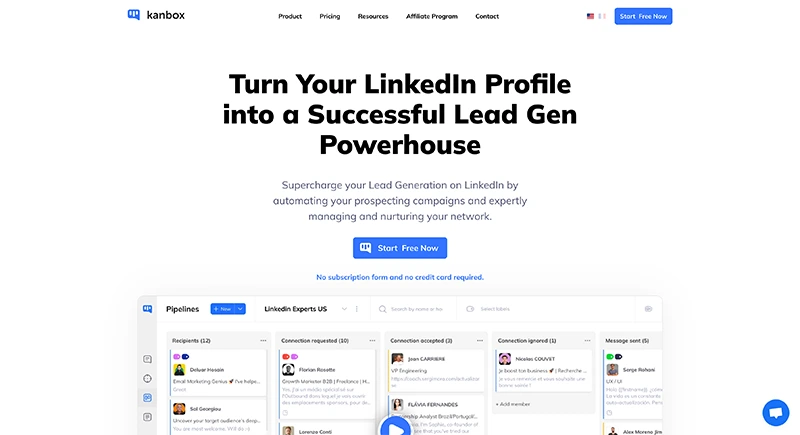
Kanbox is the most complete Evaboot alternative on this list. Where Evaboot stops at data export, Kanbox covers the entire prospecting workflow: lead extraction, outreach automation, inbox management, and CRM pipeline -- all in a single cloud-based platform.
For teams currently using Evaboot alongside separate automation and CRM tools, Kanbox replaces the entire stack at a fraction of the combined cost.
On the Pro plan ($50/month yearly), Kanbox also includes AI-powered features: AI Prompt Templates that generate personalized messages using prospect profile data, an ICP AI Filter that automatically scores leads against your ideal customer profile, and an AI Response Agent that classifies replies and triggers follow-up actions automatically.
Key features
- Extract up to 75,000 LinkedIn profiles/month from Sales Navigator, posts, events, and groups
- Launch automated sequences: profile visit, follow, connect, message, follow-up
- Smart inbox with tags, filters, templates, and bulk actions for LinkedIn conversations
- Kanban CRM to track prospects through your sales pipeline
- Lead enrichment with verified email, job title, and company data
- Email finder built into the extraction workflow
- Team collaboration with shared pipelines and role-based access
- GDPR-compliant, cloud-based (no browser extension needed)
- API access and integrations via Zapier, Make, n8n
Pricing
- Starter: $10/month -- lead management + smart inbox
- Growth: $30/month -- automation sequences + CRM pipeline
- Pro: $50/month -- 75,000 leads/month, advanced API, full analytics
- 15-day trial, no credit card required
Pros
- Replaces Evaboot + automation tool + CRM with one subscription
- Massive lead extraction capacity (75,000/month vs. Evaboot's credit limits)
- Flat-rate pricing -- no per-lead credits to worry about
- Smart inbox eliminates hours of manual conversation management
- Cloud-based for better LinkedIn safety than browser extensions
- Built-in CRM eliminates the need for external pipeline tools
Cons
- Email outreach channel planned for 2026 (not yet live)
- Smaller brand awareness compared to older competitors
Best for
Sales teams, recruiters, and agencies who want to replace their Evaboot + automation + CRM stack with a single, affordable platform that covers the full LinkedIn prospecting workflow.
Join them today and boost your LinkedIn prospecting.
2. Phantombuster -- API-driven data extraction and automation
Phantombuster is a data extraction and automation platform that operates through pre-built scripts called "Phantoms." It supports LinkedIn, Sales Navigator, and several other platforms, making it one of the most versatile Evaboot alternatives for technical users.
Key features
- 100+ pre-built Phantoms for LinkedIn, Sales Navigator, Google Maps, and more
- LinkedIn profile scraping, search export, and email enrichment
- Basic automation flows (connection requests, messages)
- API access for custom workflows
- CSV and CRM export options
Pricing
- Starter: $69/month -- 10 Phantom slots, 10,000 AI credits
- Pro: $159/month -- 25 Phantom slots, 30,000 AI credits
- Team: $439/month -- 50 Phantom slots, 90,000 AI credits
Pros
- Extremely versatile -- works beyond LinkedIn
- Powerful for technical users who want custom workflows
- Strong data extraction capabilities across multiple platforms
- Good API for building automated pipelines
Cons
- Complex setup -- requires technical knowledge to configure Phantoms
- No built-in CRM or pipeline management
- No smart inbox for LinkedIn conversations
- Expensive for what you get ($69/month minimum)
- Credit-based system similar to Evaboot's scaling issues
- Can trigger LinkedIn detection if not configured carefully
Best for
Technical users and growth hackers who need multi-platform data extraction and are comfortable configuring API-driven workflows.
3. Waalaxy -- Simple LinkedIn + email for beginners
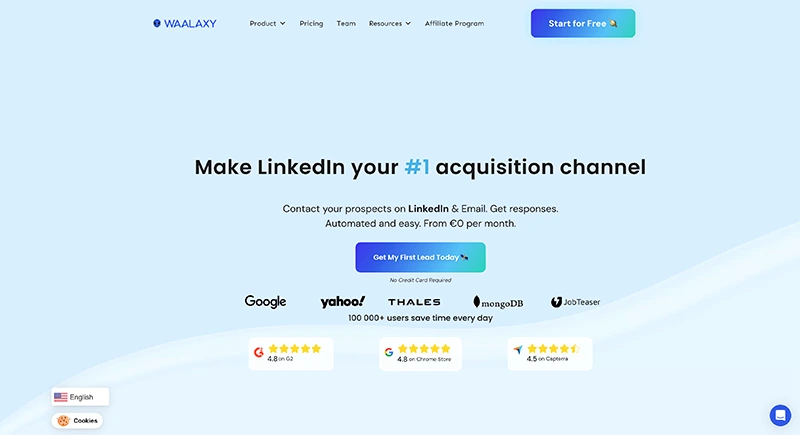
Waalaxy is a popular LinkedIn automation tool aimed at solopreneurs and freelancers. Unlike Evaboot, it combines lead extraction with outreach automation and basic email sequences, making it a more complete prospecting solution.
Key features
- LinkedIn + email sequences in one workflow
- Pre-built campaign templates for quick setup
- CRM-like contact management
- Chrome extension + cloud hybrid
- Email finder with credits
Pricing
- Advanced: EUR30/month -- LinkedIn automation
- Business: EUR50/month -- LinkedIn + email + email finder credits
- Annual discounts available
Pros
- Very easy to set up and use -- no technical knowledge required
- Multichannel (LinkedIn + email) on Business plan
- Good template library for quick campaign launch
- Active community and documentation
Cons
- Lead extraction capacity limited compared to Kanbox
- No Kanban pipeline or advanced CRM features
- Email finder credits are limited and costly to top up
- Less suited for large teams or agencies
- Chrome extension dependency can cause stability issues
Best for
Solopreneurs and freelancers who want a simple, affordable tool that combines basic LinkedIn extraction with automated outreach sequences.
4. Dripify -- Drip campaigns for solo prospectors
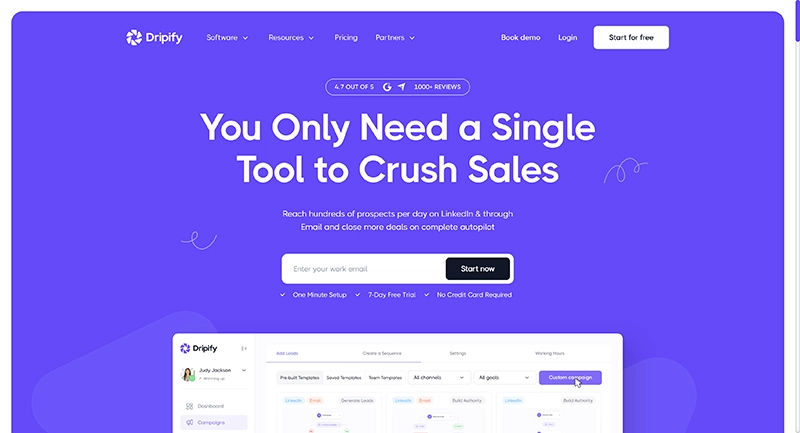
Dripify is a cloud-based LinkedIn automation tool focused on drip campaigns. It does not match Evaboot's data extraction depth, but it fills the automation gap that Evaboot leaves wide open.
Key features
- Automated drip sequences: connect, message, follow, endorse
- Visual campaign builder
- Basic analytics and response tracking
- Team management on Advanced plan
- A/B testing on Pro plan
Pricing
- Basic: $59/month -- 1 drip campaign, basic analytics
- Pro: $79/month -- unlimited campaigns, A/B testing, personal inbox
- Advanced: $99/month -- team management, activity control
- Annual billing brings roughly 35% savings
Pros
- Clean drip campaign interface -- easy to understand
- Cloud-based for better LinkedIn safety
- A/B testing helps optimize message performance
- Good for individual users running simple sequences
Cons
- No large-scale lead extraction (you need another tool for that)
- No built-in CRM pipeline
- Basic inbox -- lacks smart filtering and bulk actions
- Expensive for limited functionality ($59/month minimum)
- Team features locked behind $99/month plan
Best for
Solo prospectors who have already sourced their leads (via Evaboot or other tools) and need a straightforward way to automate LinkedIn outreach sequences.
Learn more: Dripify alternatives
5. Expandi -- Enterprise-grade safety and multichannel
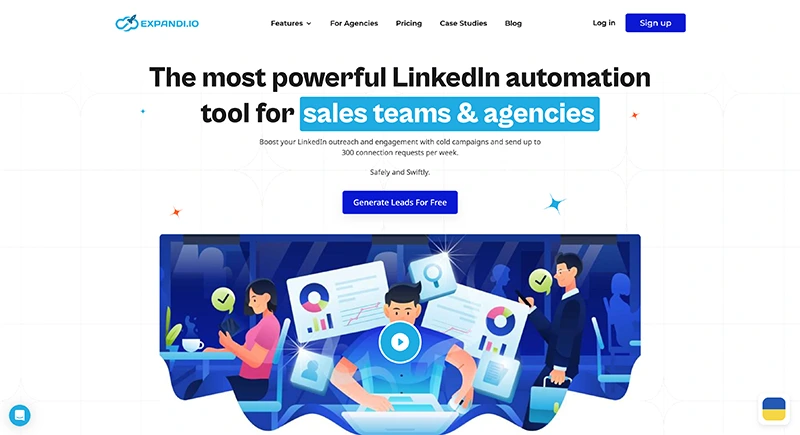
Expandi is a premium LinkedIn automation platform built for agencies and power users who prioritize account safety. It offers dedicated IP addresses, smart timing, and multichannel sequences combining LinkedIn and email.
Key features
- Multi-step sequences with LinkedIn + email actions
- Dedicated IP per account for maximum safety
- A/B testing, reply detection, inbox warm-up
- Native integrations + Zapier, webhooks
- Advanced analytics and campaign reporting
Pricing
- Single plan: $99/month per user (discounts on annual billing)
Pros
- Industry-leading account safety features
- True multichannel (LinkedIn + email in one sequence)
- Strong A/B testing and personalization options
- Well-suited for agencies managing multiple clients
Cons
- Expensive -- $99/month with no lower-tier option
- Steeper learning curve for beginners
- No built-in CRM (relies on integrations)
- Limited lead extraction compared to Kanbox
- No standalone data export feature like Evaboot
Best for
Agencies and enterprise teams that need maximum LinkedIn safety, multichannel sequences, and are willing to pay a premium for reliability.
6. La Growth Machine -- Multichannel sequences for growth teams

La Growth Machine (LGM) is a multichannel outreach platform that combines LinkedIn, email, and Twitter into sophisticated campaign workflows. It also includes built-in lead enrichment, making it a viable Evaboot alternative for teams that need both data and outreach.
Key features
- LinkedIn + email + Twitter sequences
- Visual campaign builder with branching logic
- Lead enrichment and email verification
- CRM sync (HubSpot, Pipedrive, Salesforce)
- Team collaboration and shared campaigns
Pricing
- Basic: EUR60/month -- LinkedIn + email
- Pro: EUR100/month -- all channels + enrichment + CRM sync
- Enterprise: custom pricing
- Annual discounts available
Pros
- True multichannel with three outreach channels
- Advanced workflow builder with conditional logic
- Strong CRM integrations for existing HubSpot/Pipedrive users
- Built-in data enrichment replaces part of Evaboot's function
Cons
- Expensive entry point (EUR60/month minimum)
- Complex interface -- requires onboarding time
- Overkill for LinkedIn-only workflows
- No smart inbox for LinkedIn conversations
- Learning curve can slow down initial adoption
Best for
Growth teams and sales ops professionals who run sophisticated multichannel campaigns and already use a CRM like HubSpot or Pipedrive.
Learn more: La Growth Machine alternatives
7. Dux-Soup -- Budget-friendly browser-based automation
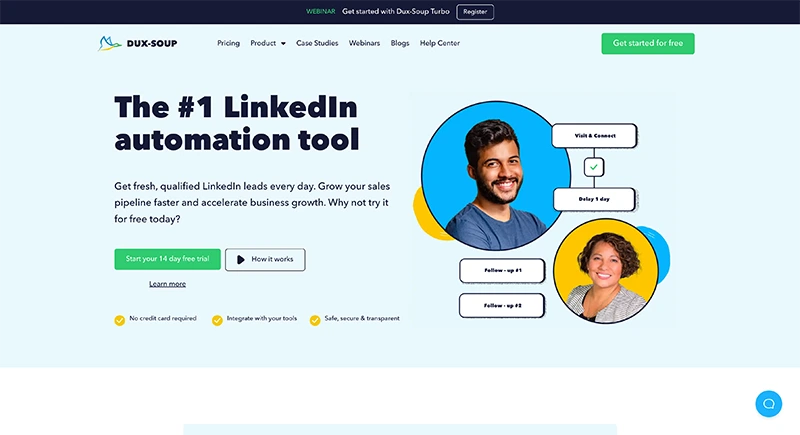
Dux-Soup is one of the oldest LinkedIn automation tools on the market. Like Evaboot, it operates as a Chrome extension. Unlike Evaboot, it adds basic automation capabilities on top of data scraping.
Key features
- Automated profile visits, endorsements, and connection requests
- Message sequences with follow-ups
- CSV export of scraped profiles
- Integration with CRM tools via Zapier
- Tag and note system for contacts
Pricing
- Pro Dux: $14.99/month -- basic automation
- Turbo Dux: $55/month -- advanced sequences + CRM integration
- Cloud Dux: $99/month -- cloud-based (no browser needed)
- Annual discounts available
Pros
- Lowest entry price among automation tools ($14.99/month)
- Simple and straightforward for basic LinkedIn tasks
- Long track record -- established and well-documented
- Good for individual prospectors on a tight budget
Cons
- Chrome extension dependency risks LinkedIn detection
- No smart inbox or conversation management
- No built-in CRM pipeline
- Limited scalability for teams
- Interface and UX feel outdated
- Cloud version at $99/month eliminates the price advantage
Best for
Individual prospectors on a tight budget who need basic LinkedIn automation and data export without advanced CRM, inbox, or team features.
Evaboot Alternatives -- Comparison Table (2026)
| Tool | Starts at | Data Export | Automation | CRM / Pipeline | Smart Inbox | Best For | Trial |
|---|---|---|---|---|---|---|---|
| Kanbox | $10/mo | 75,000/mo | Full sequences | Built-in Kanban | Yes + tags | Sales teams, agencies | 15 days |
| Phantombuster | $69/mo | Multi-platform | Basic (Phantoms) | No | No | Technical users | 14 days |
| Waalaxy | EUR30/mo | Limited | LinkedIn + email | Basic | No | Solopreneurs | 7 days |
| Dripify | $59/mo | Limited | Drip campaigns | Basic | Basic (Pro) | Solo prospectors | 7 days |
| Expandi | $99/mo | Via integrations | LinkedIn + email | Via integrations | Warm-up + A/B | Agencies, enterprise | 7 days |
| La Growth Machine | EUR60/mo | Built-in enrichment | LinkedIn + email + Twitter | CRM sync | No | Growth teams | 14 days |
| Dux-Soup | $14.99/mo | CSV export | Basic sequences | Via Zapier | No | Budget users | 15 days |
| Evaboot | ~$9/mo | Credit-based | None | None | None | Data export only | 7 days |
How to Choose the Right Evaboot Alternative
The best Evaboot alternative depends on what you actually need beyond data export. Here is a framework to guide your decision.
Define what Evaboot is missing for you
Start with the gap. If you only need better or cheaper data extraction, Phantombuster or Dux-Soup might suffice. But if you need extraction plus automation, CRM, and inbox management, you need an all-in-one platform like Kanbox.
Evaluate your lead volume
Evaboot's credit system means costs scale linearly with volume. If you process thousands of leads per month, flat-rate tools like Kanbox (75,000/month on Pro) deliver significantly better value than per-credit pricing.
Consider your current tool stack
How many tools are you paying for today? If you are using Evaboot + a LinkedIn automation tool + a CRM + a spreadsheet, consolidating into one platform can save money and eliminate the friction of switching between apps.
Factor in team needs
If you work in a team or manage an agency, look for role-based permissions, shared pipelines, and team analytics. Kanbox and Expandi handle this well. Evaboot has no team features at all.
Compare total cost of ownership
Do not just compare the sticker prices. Factor in:
- Lead extraction limits (credits vs. flat rate)
- Whether you need a separate automation tool subscription
- Whether you need a separate CRM subscription
- Email finder credits and enrichment costs
- LinkedIn Sales Navigator subscription (required for Evaboot)
Kanbox at $10/month often replaces the need for 2-3 separate tools, making it the most cost-effective choice for teams scaling their LinkedIn prospecting.
Test before you commit
Every tool on this list offers a trial period. Set up a real campaign, test the inbox, try the CRM, and evaluate how the tool fits into your daily workflow before committing to an annual plan.
Try Kanbox for 15 Days
15-day trial. No credit card required.
Why Kanbox Is the Best Evaboot Alternative
After reviewing all seven alternatives, Kanbox consistently stands out as the strongest Evaboot replacement. Here is why.
It does everything Evaboot does -- and much more
Evaboot extracts data from Sales Navigator and finds emails. Kanbox does that too, with extraction capacity of up to 75,000 profiles per month. But it also automates your outreach, manages your conversations, and tracks your pipeline -- all in the same platform.
Flat-rate pricing vs. credit-based billing
With Evaboot, every lead export and email find costs a credit. At scale, this adds up fast. Kanbox charges a flat monthly rate with generous extraction limits, so your costs stay predictable no matter how many leads you process.
A real CRM built for LinkedIn prospecting
Most Evaboot users export to spreadsheets or pay for a separate CRM. Kanbox includes a Kanban-style pipeline where you can track every prospect from first contact to closed deal, with notes, tags, status updates, and team visibility.
Smart inbox saves hours every week
If you are running outreach at scale, managing LinkedIn conversations becomes a full-time job. Kanbox's smart inbox brings all your messages into one interface with filtering, tagging, templates, and bulk actions. No more lost replies or missed follow-ups.
Cloud-based for LinkedIn safety
Unlike Evaboot's Chrome extension, Kanbox operates in the cloud. This reduces the risk of LinkedIn detecting and flagging your account. All data handling is GDPR-compliant.
Built for teams from day one
Whether you manage 2 LinkedIn accounts or 20, Kanbox scales with you. Role-based permissions, shared pipelines, and team analytics make it the platform of choice for B2B sales teams and lead generation agencies.
If you are ready to move beyond data export and into full-cycle LinkedIn prospecting, Kanbox is the upgrade that makes the most sense. Explore the LinkedIn scraping features, try the email finder, or read our best LinkedIn automation tools guide for more comparisons.
Try Kanbox for 15 Days
15-day trial. No credit card required.
Conclusion
Evaboot is a solid tool for one specific task: exporting clean data from LinkedIn Sales Navigator. But in 2026, prospecting demands more than spreadsheets.
The gap between extracting leads and converting them into customers requires automation, inbox management, pipeline tracking, and team collaboration -- none of which Evaboot provides.
Among the alternatives reviewed, Kanbox delivers the most complete solution at the most competitive price. It replaces Evaboot's data export function while adding the automation, CRM, and inbox features that turn lead lists into closed deals.
Whether you are a sales professional scaling your outreach, a recruiter building talent pipelines, or an agency managing multiple accounts, the right Evaboot alternative is the one that covers your full workflow -- not just the first step.
Test the tools. Compare the features. And choose the platform that helps you move from data extraction to deal closure with the least friction.
If you are exploring other tools, you might also find these guides useful: Waalaxy alternatives, Meet Alfred alternatives, LinkedIn Sales Navigator alternatives, and best LinkedIn automation tools.
Frequently Asked Questions
Kanbox automates your LinkedIn actions so you can focus on what really matters.
Frequently Asked Questions
The best Evaboot alternative in 2026 is Kanbox. While Evaboot focuses narrowly on Sales Navigator data export and email finding, Kanbox combines lead extraction (up to 75,000 profiles/month), automated LinkedIn sequences, a built-in Kanban CRM, and a smart inbox -- all starting at $10/month. It replaces the need for multiple tools.
Evaboot pricing in 2026 starts at approximately $9/month for 100 credits on the annual plan, scaling up to $99/month for 5,000 credits and beyond. Each lead export or email find consumes credits. Compared to Kanbox ($10/month for 300 leads with full automation and CRM), Evaboot can become expensive quickly once you scale your prospecting volume.
No. Evaboot is not an automation tool. It only extracts and cleans data from LinkedIn Sales Navigator searches. It cannot send connection requests, messages, or follow-ups. If you need both data export and outreach automation, you will need a separate tool -- or you can use Kanbox, which handles extraction, automation, inbox, and CRM in a single platform.
Evaboot operates as a Chrome extension for Sales Navigator, which carries inherent detection risks. LinkedIn can flag browser extensions that interact with its interface. Cloud-based alternatives like Kanbox reduce this risk by operating outside the browser, making them generally safer for long-term LinkedIn account health.
No. Evaboot does not offer any CRM or pipeline management features. It exports lead data to CSV or integrates with third-party CRMs via Zapier. If you want a built-in CRM with Kanban pipeline, prospect tracking, and team collaboration, Kanbox includes all of this without requiring external subscriptions.
Most Evaboot alternatives offer features that Evaboot lacks entirely: automated LinkedIn sequences (connection requests, messages, follow-ups), smart inbox management, CRM pipelines, team collaboration, and multichannel outreach (LinkedIn + email). Evaboot is limited to data extraction and email finding. Tools like Kanbox cover the full prospecting workflow from extraction to conversion.
No, Evaboot does not offer a free plan. It uses credit-based pricing starting at approximately $9/month (annual billing) for 100 credits. Each lead export or email discovery consumes credits. A limited trial is available for new users. Kanbox starts at $10/month (yearly) with 300 leads included and full automation, CRM, and inbox features -- no credit system required.
No. Evaboot requires an active LinkedIn Sales Navigator subscription to function. It does not work with LinkedIn Basic or LinkedIn Premium accounts. If you need a lead extraction and automation tool that works with any LinkedIn account type -- including the no-cost version -- Kanbox supports LinkedIn Basic, Premium, and Sales Navigator equally.