LinkedIn Reply Triage Checklist: An Owner, a Deadline and a Next Action for Every Reply

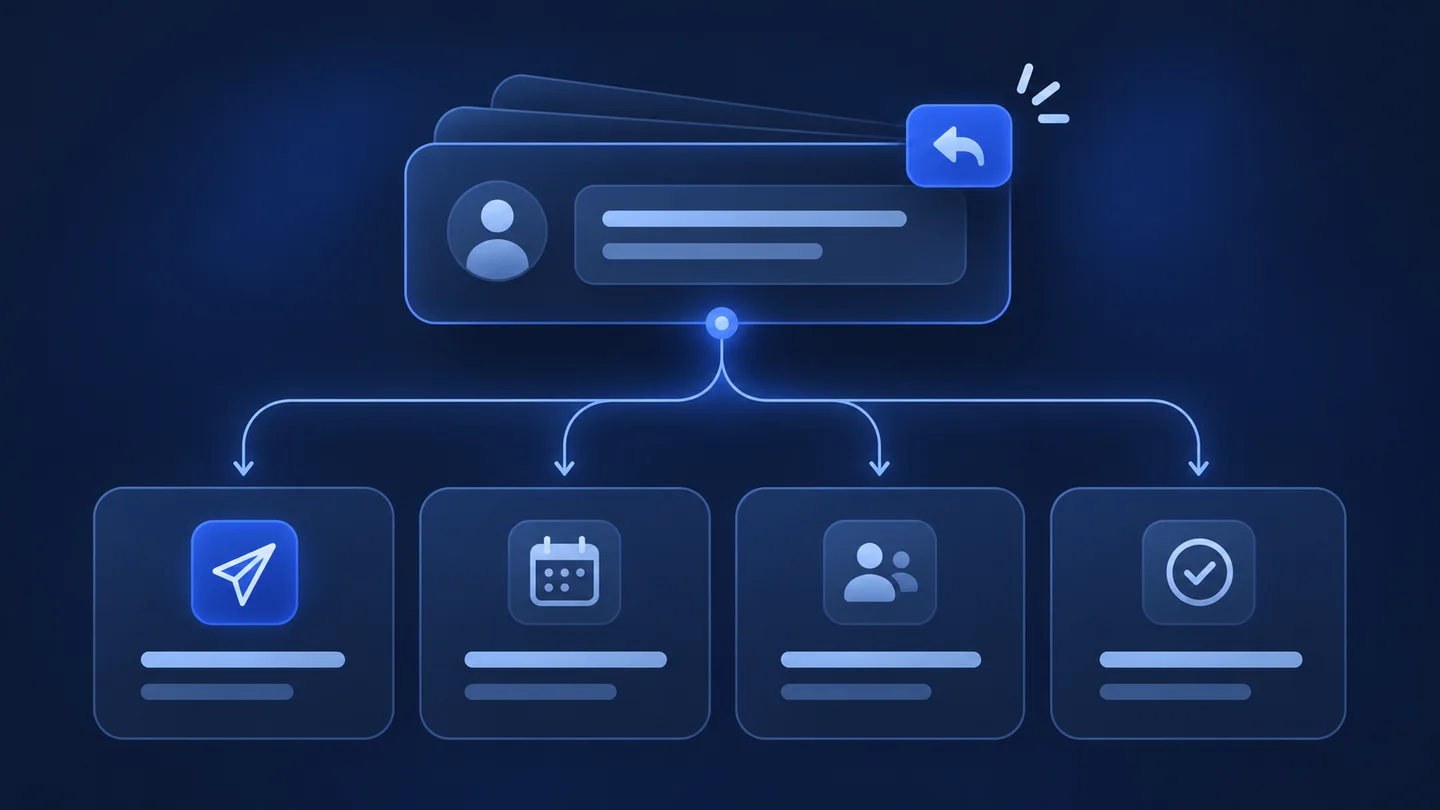
A LinkedIn reply triage checklist is a short routine you run on every prospect reply. It sorts the reply into one of four outcomes (engage, defer, redirect, close), gives it one named owner and a response deadline, and records the next action. It works the same whether a reply lands in one inbox or in ten client accounts.
This guide is for agency owners and operations leads who already get replies and lose some of them between "someone saw it" and "someone acted on it". Cleaning up and labelling your inbox is a different job, covered in our guide to tidying up LinkedIn messages. This guide covers what happens after that: who owns each reply, by when, and what they do next.
What reply triage is, and what it is not
Triage is a decision, not a filing system. A label tells you what a conversation is. Triage tells you who must act, how fast, and what "done" looks like.
Three things are in scope:
- Classification: which of four outcomes the reply calls for.
- Ownership: the one person accountable for the next touch. Not a team, not "the client".
- Commitment: a response deadline and a written next action that someone else could pick up.
Two things are out of scope. Copywriting (how to phrase the answer) depends on the client's offer and voice. Pipeline stage design depends on how each client sells. Triage feeds both, but it should not wait for either to be perfect.
Why replies get lost in a multi-client agency
In a single-company sales team, the person who sent the message usually reads the answer. In an agency, those are often different people. An operator runs the campaign, an account manager holds the client relationship, and the client's own salesperson takes the meeting. Each assumes another one has the reply.
The usual failure points are predictable:
- Shared visibility, no single owner. Three people can see the reply, so none of them is sure it is theirs.
- Unclear authority. The operator can book a call but cannot quote a price or promise a delivery date for the client.
- No deadline. "Reply soon" means something different on Monday morning and on Friday at 6 pm.
- Handoff without context. The client's salesperson gets a name and a "they're interested", with no thread, no question and no promised next step.
- Silent closes. A "no thanks" or "please stop" is read and archived, but the prospect stays in an active sequence somewhere else.
None of these is a tooling problem first. They are missing rules. The checklist below writes the rules down.
The four-way reply triage matrix
Every reply falls into one of four outcomes. If you need a fifth, you probably have a sub-case of one of these four.
| Outcome | Typical reply | Owner | Example response deadline | Next action | Record to update |
|---|---|---|---|---|---|
| Engage | Asks a question, asks for pricing or details, accepts a call | Person authorised to answer for the client (account manager or client salesperson) | Same working day | Answer the question or propose two meeting slots; if handing off, send the handoff note first | Stage moves to "in conversation"; owner and due date set |
| Defer | "Not now", "contact me next quarter", "send something I can read later" | Campaign operator | Within 2 working days, then a dated follow-up | Acknowledge, confirm the date or format they asked for, schedule the follow-up | Follow-up date stored; prospect removed from the active sequence |
| Redirect | "Talk to my colleague", "I'm not the right person", "we use an agency" | Campaign operator, with account manager sign-off for named referrals | Within 2 working days | Thank them, ask permission to mention their name, add the referred contact as a new lead | Original lead closed as "redirected"; new lead linked to it |
| Close | "No", "not interested", "stop messaging me" | Campaign operator | Same working day for opt-outs | Stop every sequence for this person across all campaigns for this client; send a short acknowledgement only if appropriate | Lead closed with reason; added to the client's exclusion list |
The deadlines in this table are example targets, not benchmarks. Set your own per client and write them into the client agreement or the internal runbook, so nobody negotiates them reply by reply.
How to classify a reply that fits two boxes
Mixed replies are common: "Interesting, but not before March, and you should talk to Julie anyway." Use one rule: classify by the most urgent action the reply requires.
- Any question or buying signal makes it Engage, even if wrapped in "not now".
- Any opt-out or refusal makes it Close, even if polite. When in doubt about intent, treat a refusal as a refusal.
- Between Defer and Redirect, pick Redirect if a new person is named; the original contact usually becomes a deferred, low-priority thread.
Write the secondary outcome in the note so the next owner sees it.
The LinkedIn reply triage checklist
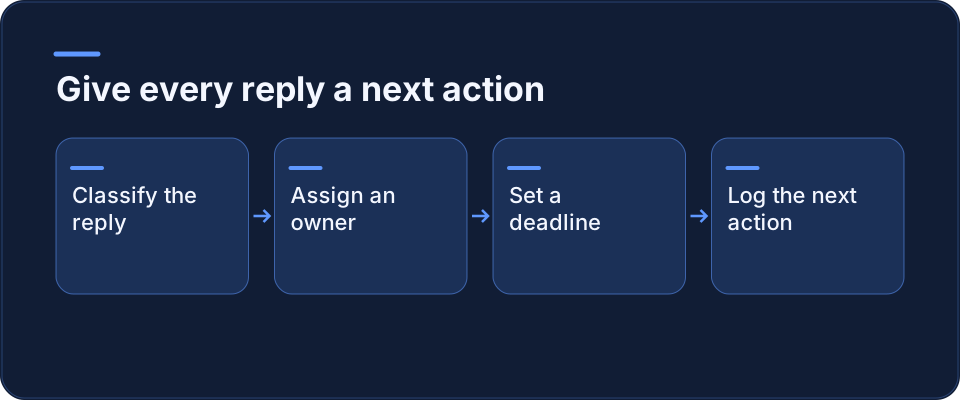
Run these steps on every reply, in order. Most replies take a minute or two; the steps exist for the ones that would otherwise sit untouched.
- Identify the account and the client. Which client account received the reply, and which campaign does the prospect belong to?
- Read the whole thread, not the last message. The reply often answers a question from two messages earlier.
- Classify into one outcome: Engage, Defer, Redirect or Close. Apply the "most urgent action" rule for mixed replies.
- Stop automation for this person. Before anything else, make sure no scheduled follow-up will land on top of a human reply. Check every campaign for this client, not only the one that got the reply.
- Assign one named owner. A person, not a role. If the owner works on the client's side, the handoff is not done until they confirm.
- Set the response deadline from your table for this client.
- Write the next action as a verb and an object: "Send two slots for a 20-minute call", "Email the one-page summary on 3 March". Avoid "follow up".
- Add a handoff note if the owner changes (template below).
- Update the record: stage, owner, due date, outcome reason.
- Close the loop: at the deadline, the owner marks the action done or sets a new one. A reply with no open action and no closed status counts as lost.
The handoff note
When a reply moves from the operator to an account manager or a client salesperson, send these five lines with it:
- Who: name, title, company, profile link.
- Context: campaign and the message they replied to.
- What they said: the reply, quoted, not paraphrased.
- What we promised: anything the operator already said ("I'll ask my colleague to send times").
- Your next action and deadline: copied from the triage record.
Quoting the reply matters. "They're interested" and "Could you tell me what this costs for a team of five?" lead to very different first answers.
Worked example: one Monday morning, three client accounts
Illustrative scenario. The agency, clients and replies are invented to show the method; they are not a customer case and describe no measured result.
A small prospecting agency runs LinkedIn campaigns for three clients: a payroll software vendor, an IT recruitment firm and an industrial equipment distributor. One operator, Sam, runs all campaigns. Two account managers, Lea and Tom, each own client relationships. The payroll vendor's own sales rep, Priya, takes qualified meetings.
On Monday at 9:00 Sam finds five new replies.
| Reply | Client | Outcome | Owner | Deadline | Next action |
|---|---|---|---|---|---|
| "What does this cost for 40 employees?" | Payroll vendor | Engage | Priya (client rep), via Lea | Monday | Lea sends the handoff note; Priya answers on pricing and proposes a call |
| "Busy until after our audit. Try me in April." | Payroll vendor | Defer | Sam | Tuesday | Acknowledge, confirm "first week of April", schedule follow-up, remove from sequence |
| "I don't hire IT people, our CTO does: Marc D." | IT recruitment | Redirect | Sam, Tom signs off | Tuesday | Thank them, ask if they mind being mentioned, add Marc D. as a new lead linked to the original |
| "Please remove me from your list." | Equipment distributor | Close | Sam | Monday | Stop all sequences for this person for this client, add to exclusions, close with reason "opt-out" |
| "Sure, Thursday works. What will we cover?" | IT recruitment | Engage | Tom | Monday | Confirm Thursday time, send a three-line agenda, log the meeting |
Three decisions in this example are worth noticing.
- Sam does not answer the pricing question, even though he could find a number. Pricing authority belongs to the client, so the reply goes to the client's rep with a handoff note.
- The opt-out is handled first, before the more interesting replies, because the next scheduled message could go out at any moment.
- The redirect creates a new lead instead of rewriting the old one. The original contact keeps their history, and the referral stays traceable.
By 10:00 every reply has an owner, a deadline and a written next action. On Tuesday, Sam's first task is checking that Priya and Tom actually closed their Monday actions.
Rules to agree with each client before the first reply
The matrix only works if authority is settled in advance. Agree on these points during client onboarding, not when the first hot reply arrives:
- Who may answer what. Can the agency propose meeting times? Share a brochure? Name a price range? Write it down per client.
- Who takes Engage replies. The account manager, the client's rep, or the agency until the meeting is booked.
- Response deadlines for each outcome, especially Engage and Close.
- What happens to opt-outs. Whether they are excluded only from this client's campaigns or from every campaign the agency runs. This is a policy decision for you and your client. For legal obligations in your market, ask your own counsel; this guide does not cover them.
- Where the record lives. One place per client, so nobody has to check three tools to know whether a reply is handled.
If your campaigns are organised by segment, write the rules per segment as well. Our guide on segmenting LinkedIn prospects explains how to split audiences so a reply can be traced back to the list and message that produced it.
Common mistakes that break triage
- Triage by whoever happens to look. Fix it by giving one person a fixed triage slot, twice a day, per set of accounts.
- Classifying on tone instead of content. A warm "thanks, not for us" is still a Close.
- Leaving the prospect in a sequence after a human reply. This is the most visible failure to the prospect, and step 4 exists to prevent it.
- Handoffs by chat message. "Hot lead for you!" in a team chat, with no thread, no quote and no deadline.
- No end state. Every reply must end as done, rescheduled, redirected or closed. "Seen" is not a status.
Tools and where they fit
You can run this checklist in a shared spreadsheet, a CRM, or a LinkedIn automation tool. Whatever you use, check three things before you rely on it:
- Can you see, per reply, one owner and one due date without opening the conversation?
- Can you stop every scheduled message for one person from the place where you read their reply?
- Can someone who did not run the campaign read the full thread and the handoff note in one place?
If the answer to any of these is no, keep that part of the process in a simple shared tracker until it is covered. Missing these points costs more than switching tools. If you are comparing options, our overview of LinkedIn automation tools is a starting point. For a broader view of the work that comes before replies, see our LinkedIn prospecting guide.
FAQ
What is a LinkedIn reply triage checklist?
It is a fixed routine applied to every reply from a LinkedIn prospect. The reply is classified into one outcome (engage, defer, redirect or close), assigned to one named person, given a response deadline, and recorded with a written next action. The point is not to label the conversation but to make sure someone is accountable for the next touch. It is most useful when several people can see the same replies, as in an agency running campaigns for several clients, because shared visibility tends to blur ownership.
How fast should we respond to a LinkedIn reply?
There is no universal number, and this guide does not cite one. Set deadlines per outcome and per client, and write them down. A common pattern is a tighter deadline for replies that ask a question or accept a meeting, and for opt-outs, and a looser one for "not now" or referral replies. What matters most is that the deadline is explicit and checked. A reply with a clear owner and a next-day deadline is handled better than a reply everyone means to answer "soon".
Who should own a reply in an agency: the operator or the client?
Whoever is authorised to give the answer the reply asks for. Operators usually own deferrals, redirects and opt-outs, because those are process actions. Replies that ask about price, scope or delivery usually belong to the account manager or the client's own salesperson, because only they can commit the client. Agree this split during onboarding, per client. When ownership moves, send a handoff note with the quoted reply, what was already promised, and the deadline.
What should a handoff note include?
Five items: who the prospect is (name, title, company, profile link), which campaign and message they replied to, their reply quoted word for word, anything the agency already promised, and the next action with its deadline. Quoting the reply is the part most often skipped and the one that matters most. The person taking over needs to answer the actual question, not a summary of it. Keep the note short enough to read in under a minute.
How do we handle a reply that asks to stop messaging?
Classify it as Close and handle it first. Stop every scheduled message to that person across all campaigns for that client, add them to the client's exclusion list, and record the reason. Decide in advance, with each client, whether an opt-out also applies to other clients' campaigns the agency runs. If you have questions about legal obligations in a given market, ask qualified counsel; this checklist is an operations routine, not legal guidance.
Is reply triage the same as organising the LinkedIn inbox?
No. Organising the inbox (labels, folders, archiving, cleanup) makes conversations easier to find. Triage decides who acts on each reply, by when, and what they do. The two support each other: a tidy inbox makes triage faster, and triage keeps the inbox from filling with conversations nobody owns. You can start triage before your inbox is perfectly organised. A shared tracker with owner, deadline and next action is enough to begin.
Next steps
Start small: pick one client account, run the ten steps on every reply for two weeks, and check at each deadline whether the action was actually closed. Then roll the same matrix out to the other accounts.
- To go deeper on keeping conversations readable, see our guide to cleaning up a crowded LinkedIn inbox.
- If you manage prospecting across several LinkedIn profiles, our article on running multiple LinkedIn accounts covers the account side of the setup.
- And if you want to see how we think about LinkedIn prospecting for agencies, visit Kanbox.
Kanbox automates your LinkedIn actions so you can focus on what really matters.